
Krea 2 Turbo: Text-to-Image - 5 Experiments for Product Advertising
Introduction
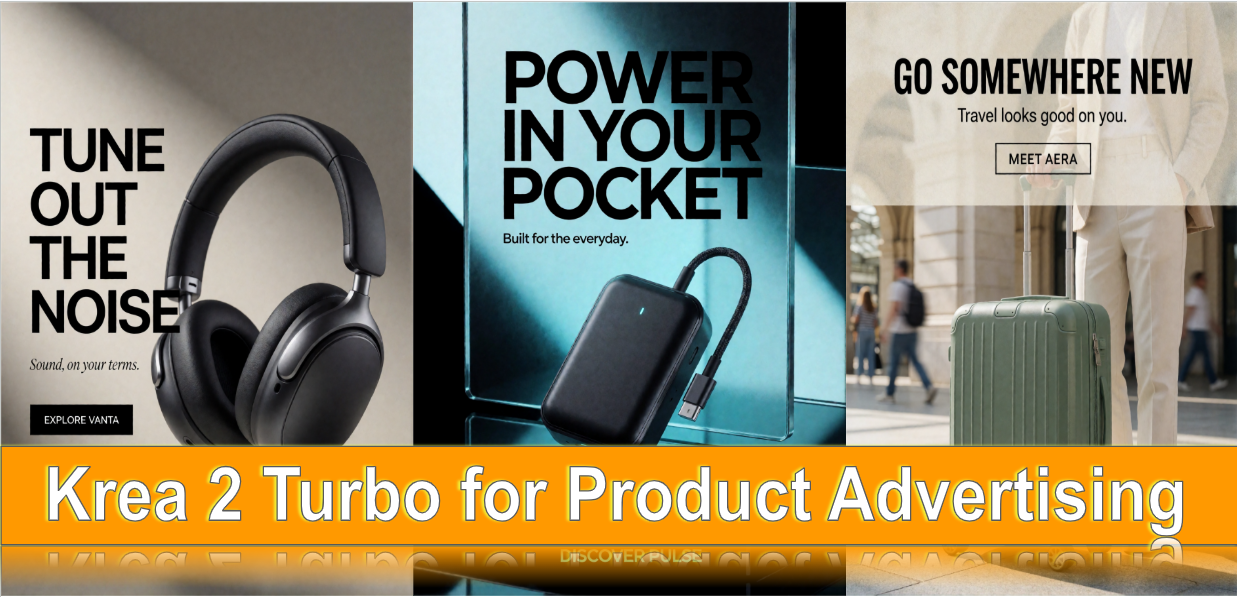
Product advertising is one of the most practical ways to explore Krea 2 Turbo in ComfyUI. A strong product image needs more than an attractive object: it needs deliberate composition, believable materials, controlled lighting, clear brand hierarchy, and enough negative space for a message and call to action.
In this article, we explore five commercial directions: premium headphones, a reusable water bottle, a designer desk lamp, travel luggage, and a portable power bank. The prompts are designed as art-direction briefs rather than keyword lists. They specify the product, camera language, lighting, layout, typography, and constraints so that each generation has a clear visual objective.
These are prompt-led creative concepts, not a claim that the outputs have been independently benchmarked. Product names and campaign copy used in the examples are fictional.
Model Configuration and Inference Optimizations
For our image generation experiments, we used Krea 2 Turbo in ComfyUI, combining an INT8-quantized diffusion model with an FP8 text encoder to reduce memory requirements and make inference more efficient.
Our generation setup consisted of:
| Component | Configuration |
|---|---|
| Diffusion Model | Krea 2 Turbo — INT8 ConvRot |
| Text Encoder | Qwen3-VL 4B — FP8 Scaled |
| VAE | Qwen Image VAE |
| Inference Framework | ComfyUI |
Why These Optimizations Matter
The INT8 ConvRot diffusion model reduces model-weight memory requirements compared with higher-precision variants, making Krea 2 Turbo more practical to run on GPUs with limited VRAM.
The Qwen3-VL 4B FP8 Scaled text encoder further reduces the memory footprint of prompt processing, while the Qwen Image VAE handles image encoding and decoding.
Together, these components provide a memory-efficient configuration for exploring Krea 2 Turbo's image generation capabilities in ComfyUI. Actual generation speed, VRAM usage, and output quality depend on the GPU, resolution, and sampling settings.
Prompting Approach
For product ads, describe the object's physical construction and finish, then decide where it sits in the frame. A single hero product is usually easier to art-direct than a crowded scene. Keep the headline short, put exact copy in quotation marks, and specify a clear text area. If exact packaging, logos, prices, or legal copy matter, add them in a design editor after generation.
1. Premium Headphones - Minimalist Luxury
Format: 4:5 portrait
Creative direction: Warm ivory, matte black, brushed metal, soft studio light.
Prompt
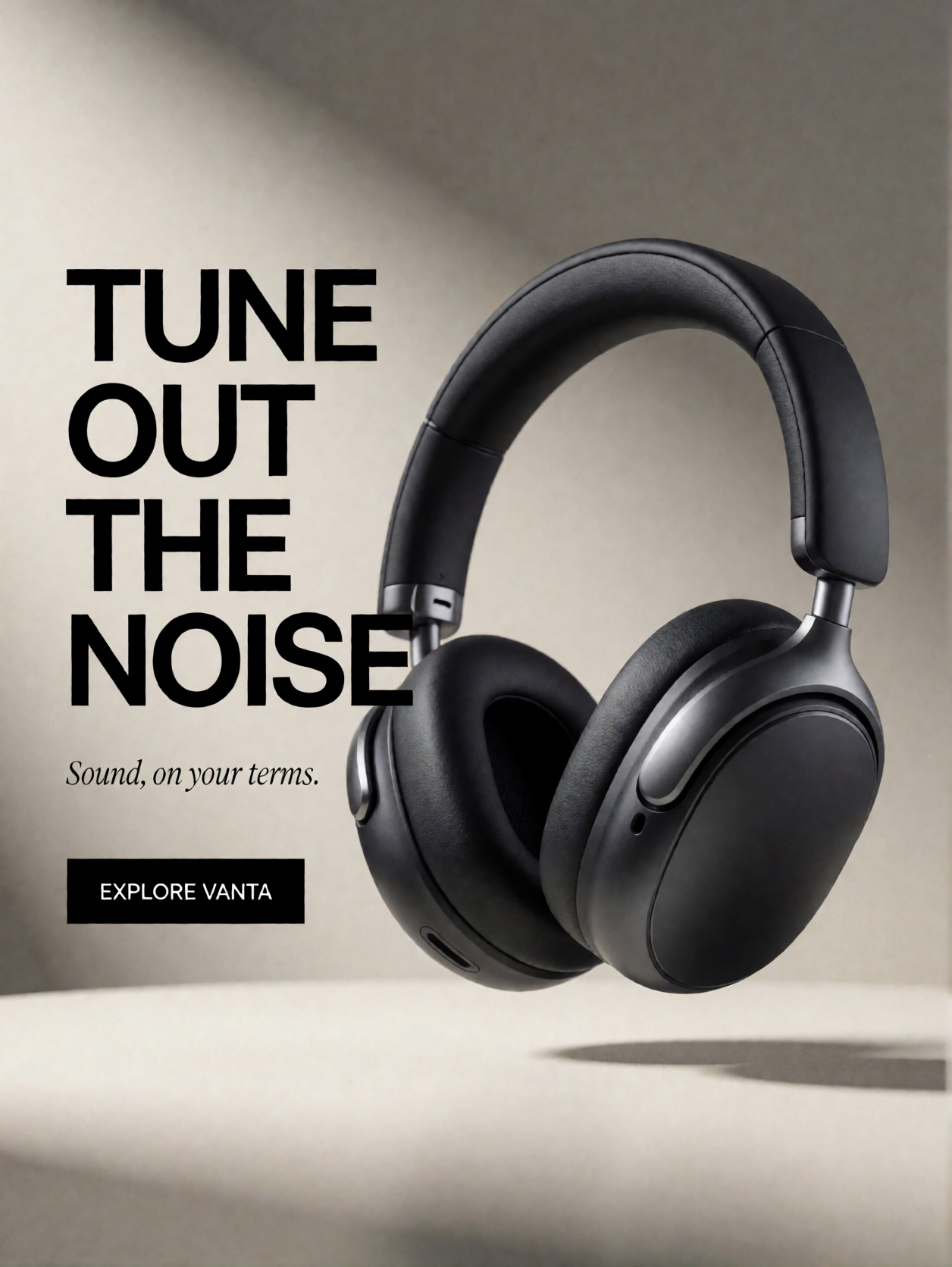
Create a premium commercial advertisement for fictional VANTA wireless over-ear headphones. Show one pair of matte-black headphones with brushed-aluminum hinges and soft memory-foam ear cushions, floating at a subtle three-quarter angle above a warm ivory podium. Place the product in the right two-thirds with a controlled soft shadow. Use large-format studio photography, an 85mm lens, soft directional light from the upper left, realistic metal reflections, and a warm-gray and charcoal palette. Leave the left third clean for typography. Add the exact bold black headline "TUNE OUT THE NOISE", the smaller line "Sound, on your terms." and a minimal CTA reading "EXPLORE VANTA". Keep the spacing sophisticated and the product geometry precise. No other writing or decorative objects.
What to evaluate: Headphone geometry, reflections, silhouette clarity, and whether the left-side copy area remains uncluttered.
Output Image
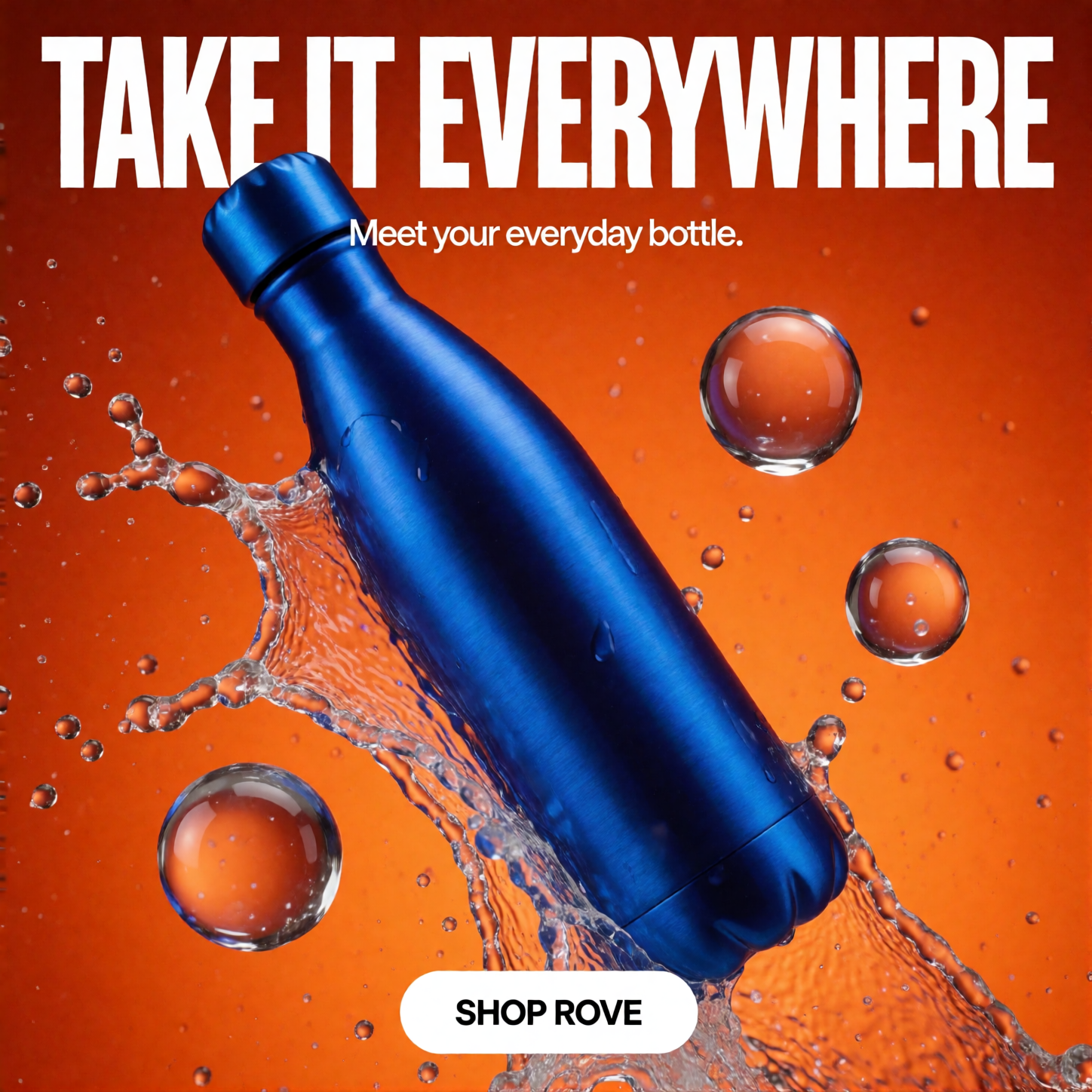
2. Reusable Water Bottle - Performance Advertising
Format: 1:1 square
Creative direction: Electric cobalt, orange contrast, frozen water motion.
Prompt
Create a high-energy advertisement for fictional reusable-bottle brand ROVE. A large brushed stainless-steel bottle with an electric-cobalt finish and a simple screw cap is suspended diagonally in mid-air, surrounded by crisp water splashes and translucent droplets. Use a saturated orange studio background, high-speed flash photography, believable reflections, and dynamic but controlled motion. Keep the bottle as the unmistakable hero. At the top, add the exact white headline "TAKE IT EVERYWHERE", followed by "Meet your everyday bottle." At the bottom, place a clean white CTA reading "SHOP ROVE". Use modern athletic-brand art direction, strong color contrast, and an uncluttered composition. No extra products or text.
What to evaluate: Whether the bottle remains legible against the energetic background and whether water effects support rather than obscure the product.
Output Image
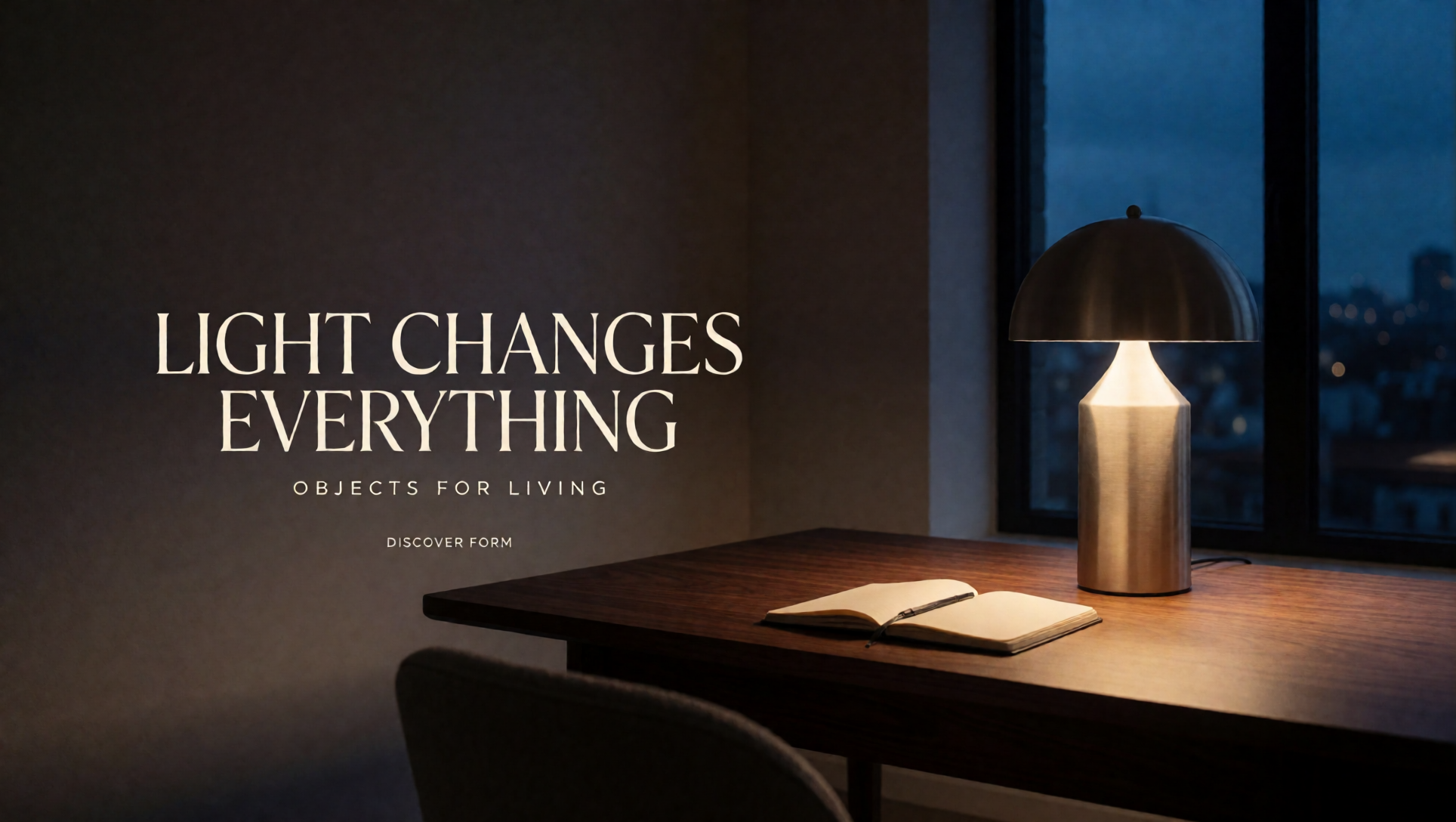
3. Designer Desk Lamp - Premium Homeware
Format: 16:9 landscape
Creative direction: Warm lamp glow against cool twilight.
Prompt
Create an elegant wide-format advertisement for fictional lighting brand FORM. A sculptural mushroom-shaped brushed-aluminum table lamp sits on a dark walnut desk in a contemporary minimalist apartment at twilight. The lamp casts a warm pool of light over a small open notebook while cool blue evening light enters through a large window. Use architectural lifestyle photography, realistic material detail, and restrained luxury styling. Keep the lamp and interior on the right half; leave the left half as a clean, shadowed wall. Add the exact off-white serif headline "LIGHT CHANGES EVERYTHING", the small uppercase line "OBJECTS FOR LIVING", and the CTA "DISCOVER FORM". No other text.
What to evaluate: The balance between warm and cool light, believable illumination, and negative space for the headline.
Output Image
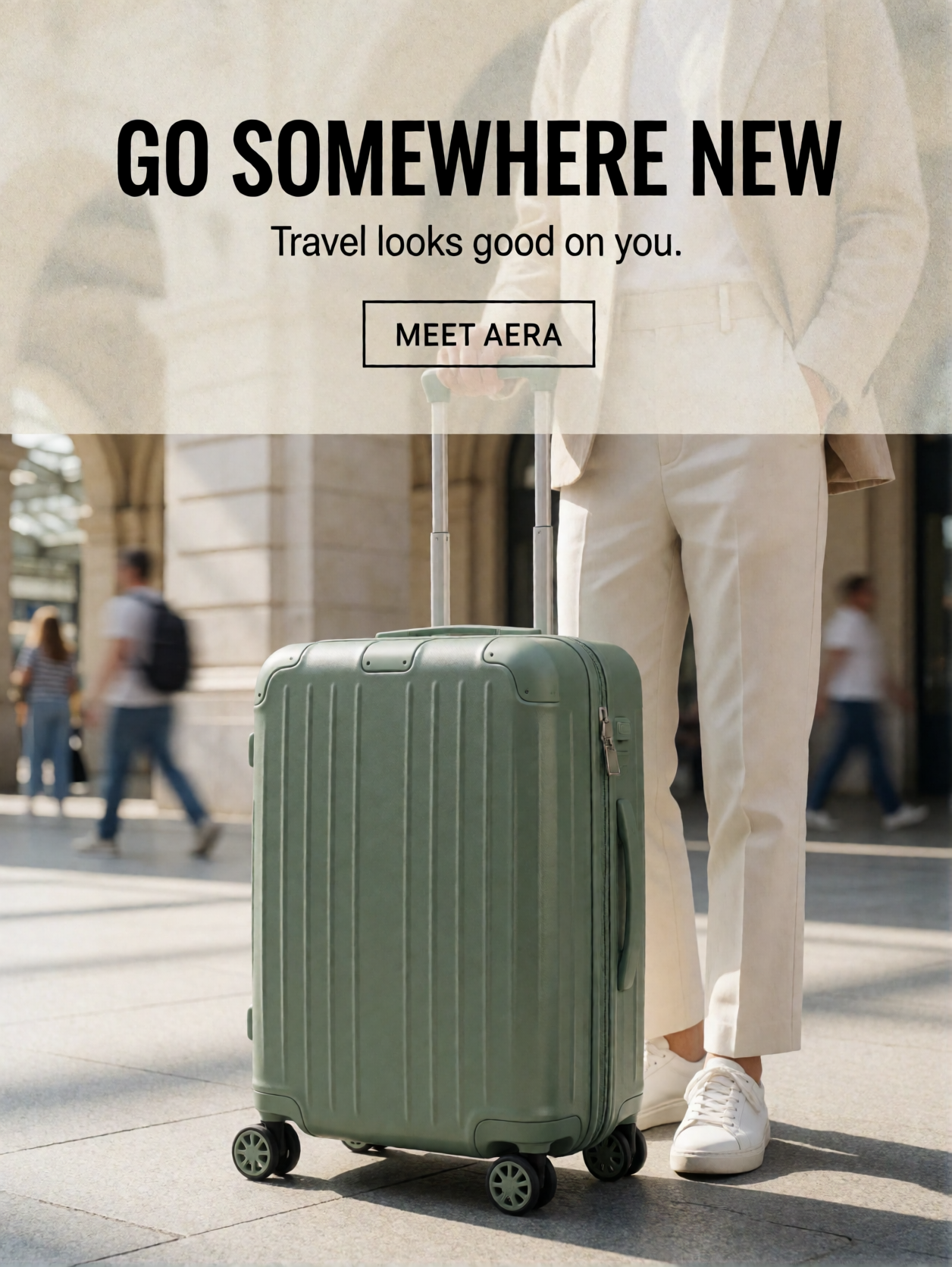
4. Travel Luggage - Lifestyle Conversion Ad
Format: 4:5 portrait
Creative direction: Sage-green luggage, sunlit modern station, aspirational travel.
Prompt
Create a premium travel-lifestyle advertisement for fictional AERA carry-on luggage. Show a muted sage-green hard-shell suitcase with vertical grooves and polished black wheels standing beside a traveler wearing cream tailored trousers and white sneakers; show only the traveler's lower body. Set the scene in a sunlit modern European train station with pale stone architecture and soft distant motion blur. Use natural morning light, editorial 35mm photography, subtle film grain, and quiet-luxury color grading. Keep the suitcase fully visible in the lower center and leave a softly blurred cream area above it. Add the headline "GO SOMEWHERE NEW", the smaller line "Travel looks good on you." and the CTA "MEET AERA". No unrelated typography.
What to evaluate: Suitcase proportions, wheel and handle consistency, and whether the background supports the product without distracting from it.
Output Image
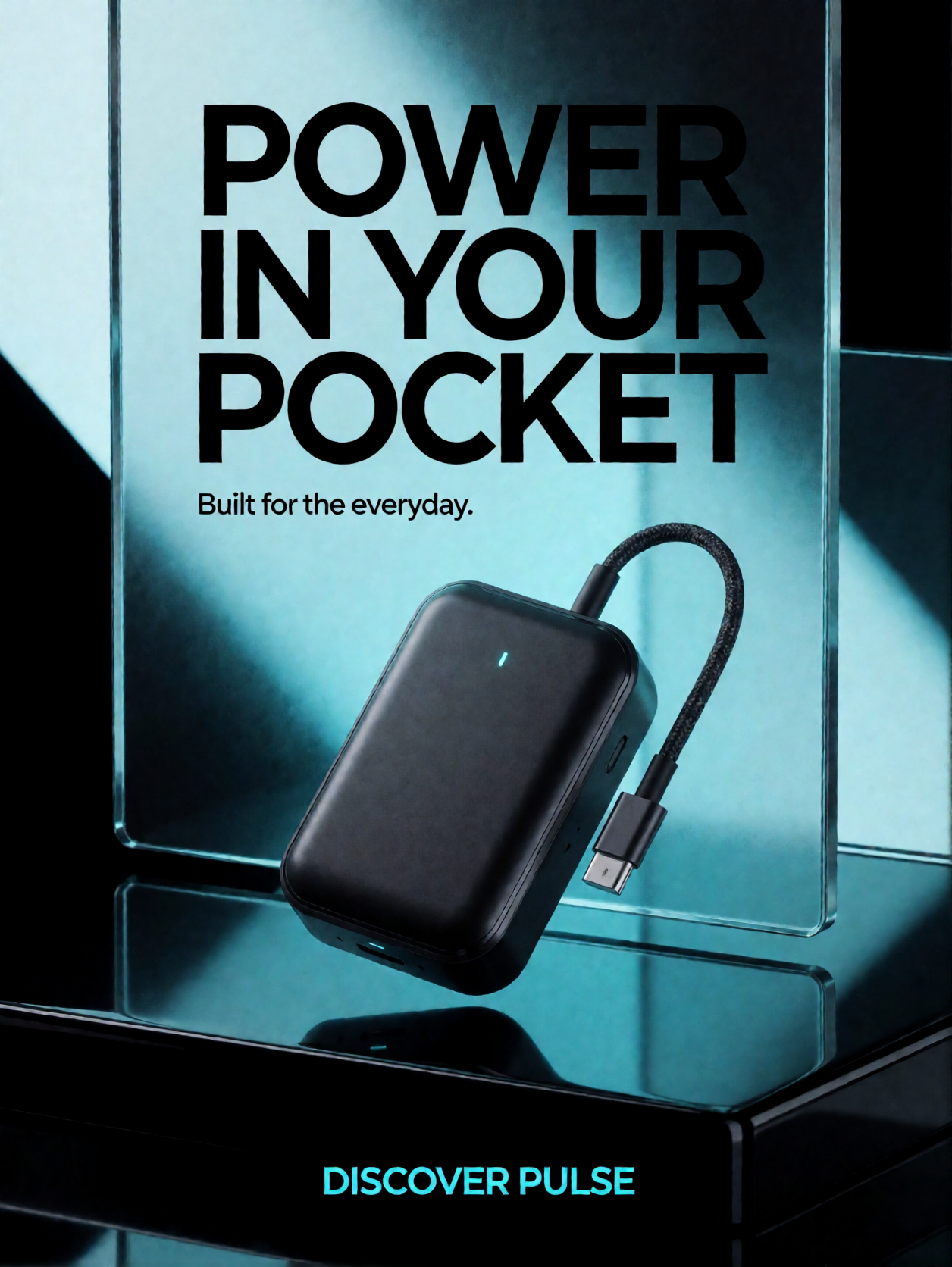
5. Portable Power Bank - Bold Technology Launch
Format: 4:5 portrait
Creative direction: Obsidian black, electric cyan, precise 3D materials.
Prompt
Create a futuristic product advertisement for fictional PULSE portable power bank. Show one precisely shaped rectangular black power bank with rounded edges, a subtle cyan indicator light, and a braided charging cable floating above a glossy obsidian platform. Use translucent glass panels with controlled cyan illumination for depth, ray-traced reflections, crisp rim lighting, and a rich black-and-cyan palette. Center the product slightly below the middle. Add the bold geometric headline "POWER IN YOUR POCKET", the supporting line "Built for the everyday." and a cyan CTA reading "DISCOVER PULSE". Keep exactly one main device and avoid random numbers or extra text.
What to evaluate: Device geometry, cable plausibility, reflections, and the visual hierarchy between product and headline.
Output Image
Conclusion
Krea 2 Turbo can be explored as a rapid concept-development tool for product advertising, especially when the prompt defines the hero object, materials, lighting, composition, and text placement. The five briefs deliberately vary the visual language from minimal studio photography to energetic splash imagery and futuristic 3D rendering while keeping one product at the center.
Generate several variations, compare them against the same criteria, and change one variable at a time. For production work, verify product details and place final logos, prices, disclaimers, and small typography in an editor rather than relying on generated text alone.
Krea 2 Turbo on HexGrid.cloud
Run* Krea 2 Turbo *on HexGrid in one click — no CUDA setup, no dependency hunting, no environment debugging.
The template comes preconfigured with ComfyUI, the required runtime, and the Krea 2 Turbo setup so you can launch a GPU workspace and start generating immediately.
No manual CUDA installation. No PyTorch version matching. No broken requirements. No hours spent wiring the environment together.
Just choose the Krea 2 Turbo template, start the instance, and open ComfyUI.
Pricing starts from $0.58/hour*, so you can spin up a GPU only when you need it and shut it down when you’re done.*
About the author
- HexGrid Cloud is building the infrastructure that makes powerful AI models accessible to everyone. We're creating a private AI cloud where developers, creators, and AI teams can deploy cutting-edge generative models, launch ready-to-use ComfyUI workflows, and access dedicated GPUs without the complexity of managing infrastructure. Our platform brings together three core capabilities: - ComfyUI Cloud: Launch preconfigured image and video generation workflows with models like MiniMax H3, Wan, LTX, and FLUX. Bring your own models, custom nodes, and LoRAs. - On-Demand GPU Cloud: Access dedicated NVIDIA GPUs, including H100, H200, A100, and B200, with transparent pricing and full control over your environment. - AI Model APIs: Integrate powerful AI models into applications without managing the underlying infrastructure.
Comments
Join the discussionNo comments yet. Be the first to comment.
AI Image Generation Models & Benchmarks
Explore hands-on benchmarks, output comparisons, and performance tests of open-source AI image generation models, including Qwen Image, FLUX, Z-Image, and more. We evaluate text-to-image generation, image editing, photorealism, typography, prompt adherence, and visual quality using consistent real-world test prompts. Each article includes generated image samples, ComfyUI workflows, inference configurations, GPU requirements, VRAM usage, generation speed, and cost analysis. We also explore inference engines such as ComfyUI, SgLang and vLLM-Omni to understand how different deployment methods affect performance. Compare models, examine actual outputs, and discover which AI image generation models work best for different use cases.