Qwen Image 2.1 - Text to Image : 9 Real-World Prompt Stress Tests in ComfyUI
I’ve been testing Qwen Image 2.1 in ComfyUI on HexGrid with prompts designed to test more than just pretty portraits.
For this run I wanted to see how it handles:
photorealism
skin and facial detail
product photography
readable text / typography
multiple objects and spatial instructions
character consistency
hands and fine anatomy
architecture
food photography
stylized illustration
unusual / complex compositions
These are the results. I’ve kept the outputs as close to the actual generations as possible rather than only posting heavily cherry-picked examples.
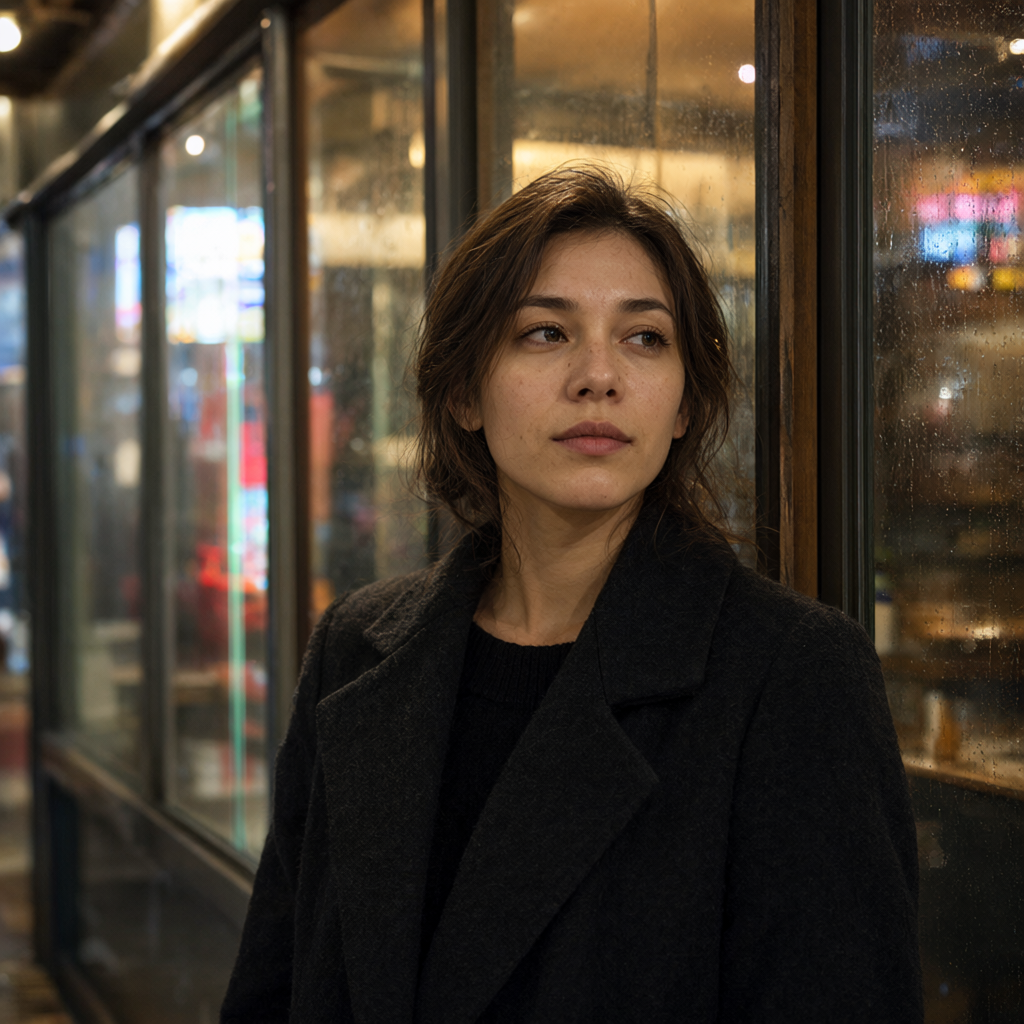
01 - Photorealistic Portrait
Testing natural skin texture, lighting, hair detail, reflections and shallow depth of field.
Prompt:
Editorial portrait of a woman in her late 20s standing beside a rainy café window in Tokyo at night, natural skin texture, subtle imperfections, dark wool coat, neon reflections on glass, shallow depth of field, photographed on an 85mm lens, cinematic but realistic lighting.
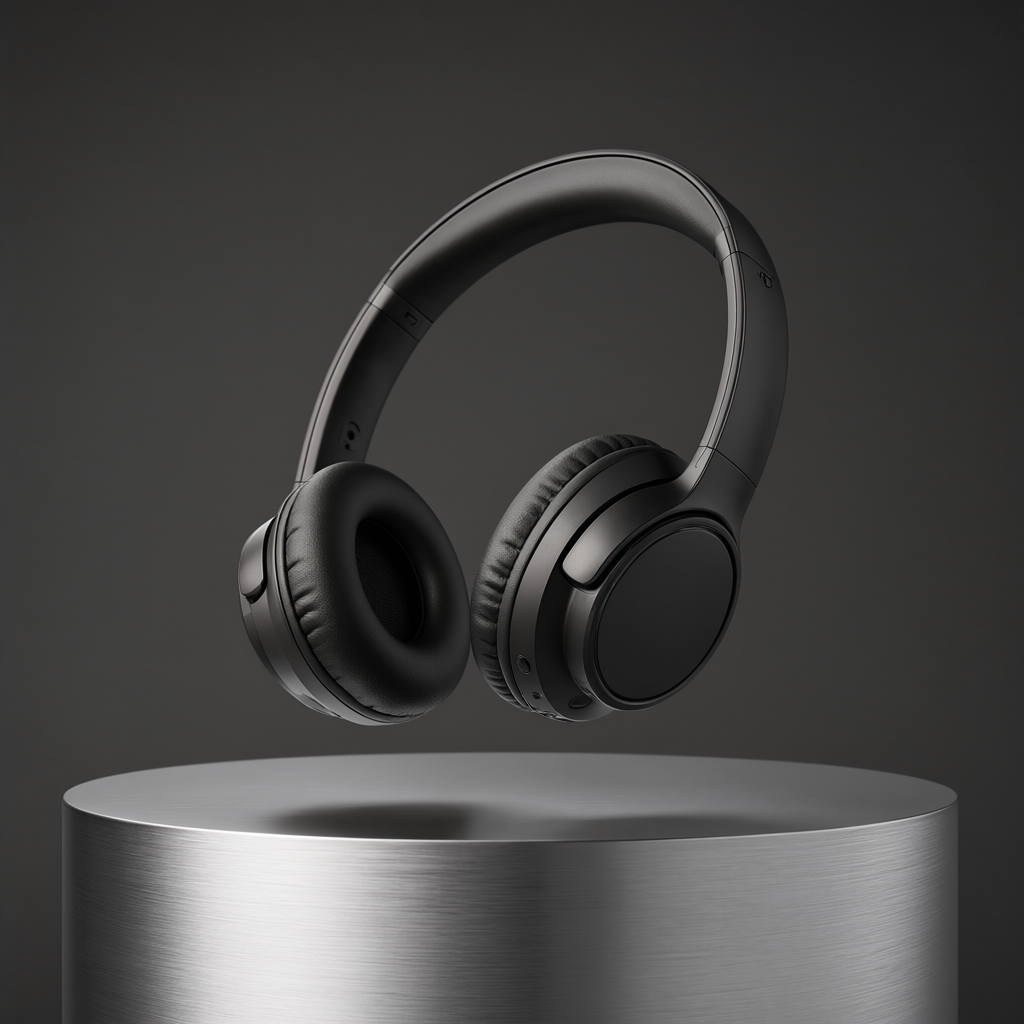
02 - Product Photography
Testing clean commercial composition, materials, reflections and studio lighting.
Prompt:
Premium commercial product photograph of a matte black wireless headphone set floating above a brushed aluminum pedestal, soft studio lighting, subtle reflections, dark gray background, luxury technology advertisement, clean composition, space for headline text.
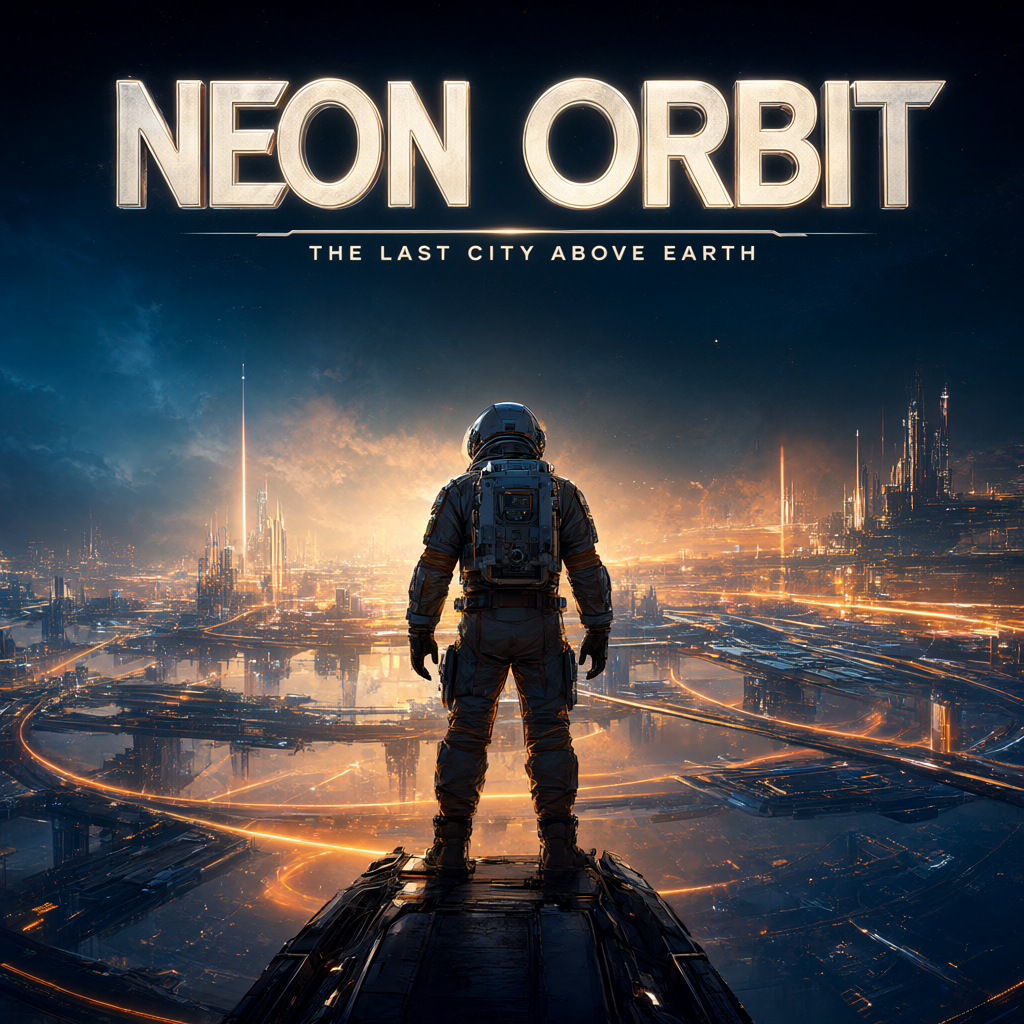
03 - Typography / Poster Design
One of the tests I was most interested in: can it actually follow a poster layout and render useful text?
Prompt:
Design a retro-futuristic movie poster for a fictional film called “NEON ORBIT”. Large readable title NEON ORBIT at the top. Beneath it write “THE LAST CITY ABOVE EARTH”. Astronaut overlooking a glowing orbital city, dramatic blue and orange lighting, cinematic poster composition.
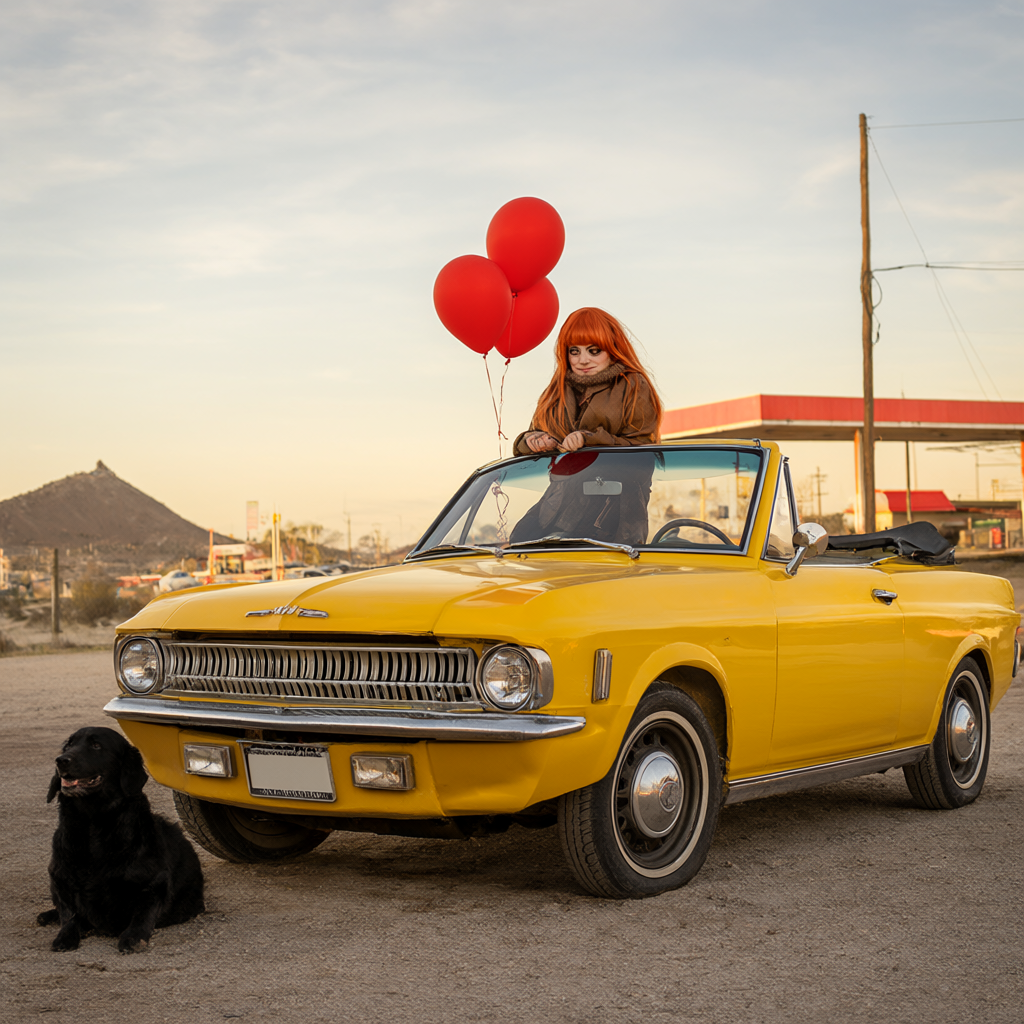
04 - Complex Prompt Adherence
Testing whether Qwen can keep several objects, colors and spatial relationships straight.
Prompt:
A red-haired woman sitting on the hood of a yellow vintage convertible, a black dog sitting beside the front-left tire, three red balloons tied to the rear-view mirror, desert gas station in the background, sunset, wide cinematic shot.
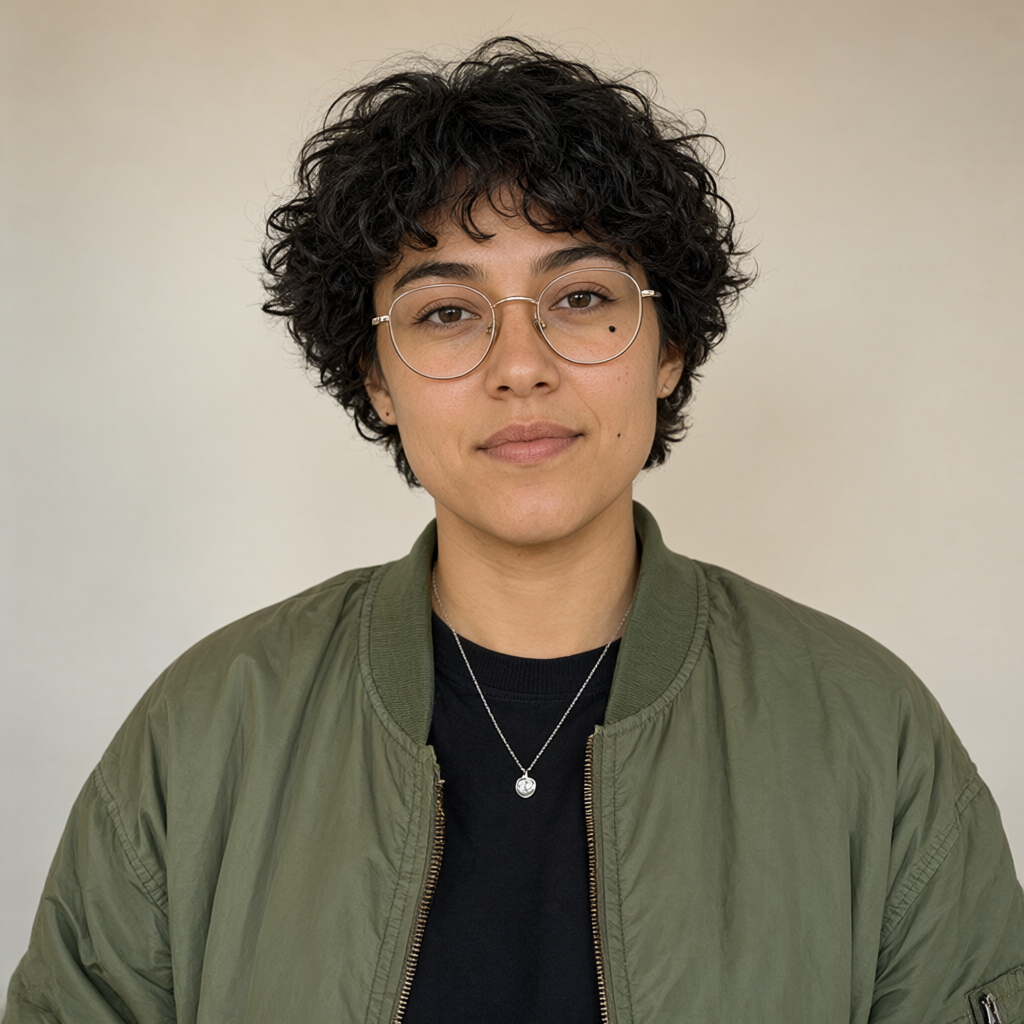
05 - Character Portrait
Prompt
Maya, a 27-year-old woman with short curly black hair, round gold glasses, small mole beneath her left eye, green bomber jacket, black shirt and silver necklace.
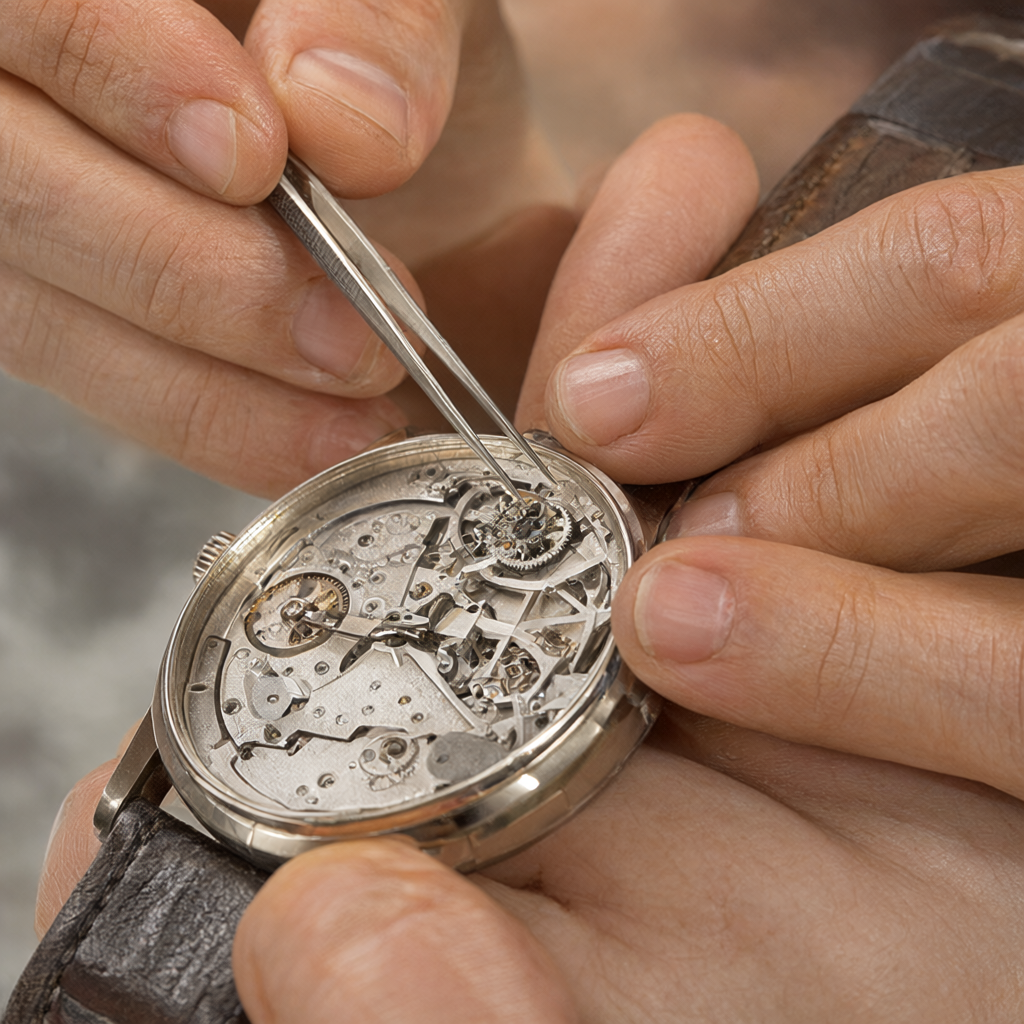
06 - Hands / Fine Detail
Still one of the easiest ways to expose weaknesses in an image model.
Prompt:
Close-up photograph of a watchmaker repairing a mechanical wristwatch, both hands clearly visible, holding tiny tweezers in the right hand and a watch gear in the left hand, detailed fingers, macro photography.
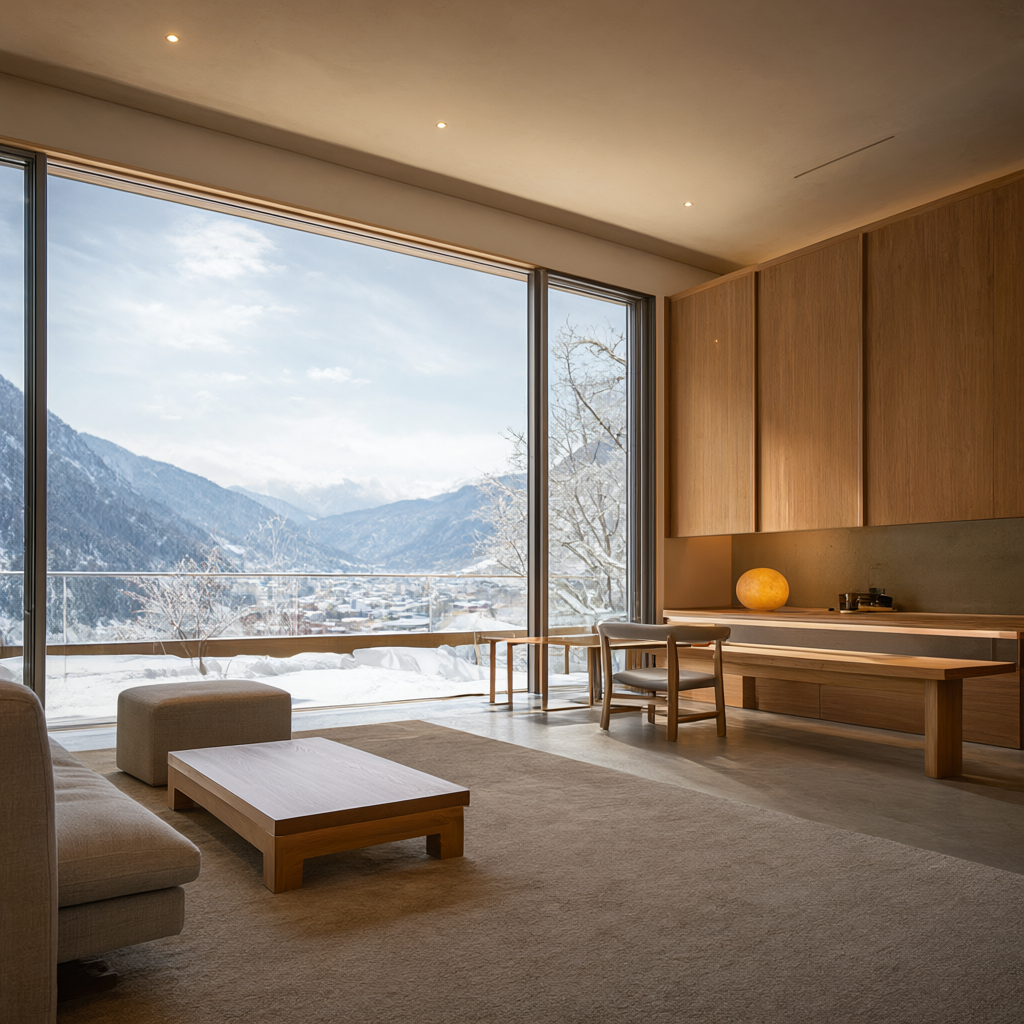
07 - Architecture / Interior
Testing perspective, materials, lighting and whether the scene stays architecturally coherent.
Prompt:
Minimal Japanese living room overlooking a snowy mountain valley, floor-to-ceiling windows, warm indirect lighting, low wooden furniture, concrete and oak materials, realistic architectural photography, morning light.
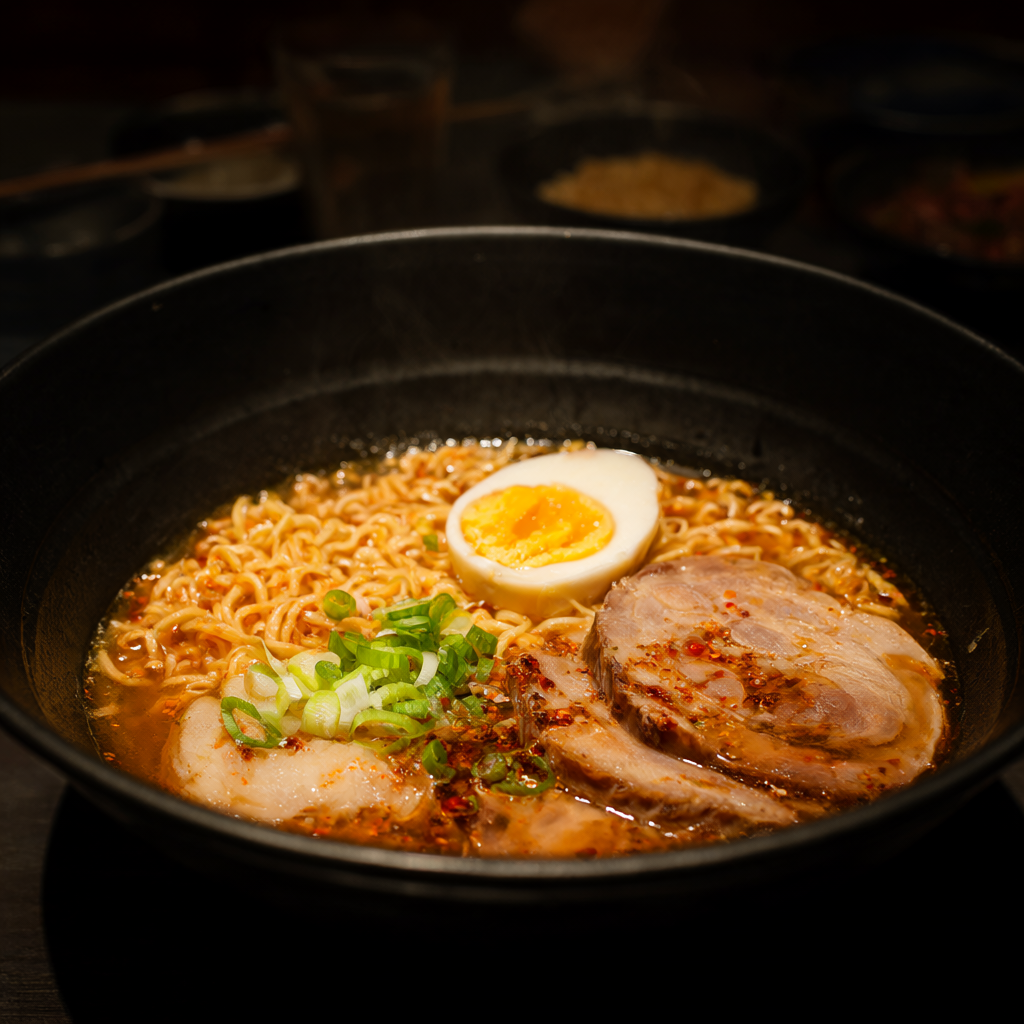
08 - Food Photography
Testing texture, small details, steam, lighting and commercial photography aesthetics.
Prompt:
Luxury food photography of spicy ramen in a black ceramic bowl, soft-boiled egg, sliced pork, scallions and chili oil, steam rising naturally, dark Japanese restaurant background, dramatic side lighting, shallow depth of field.
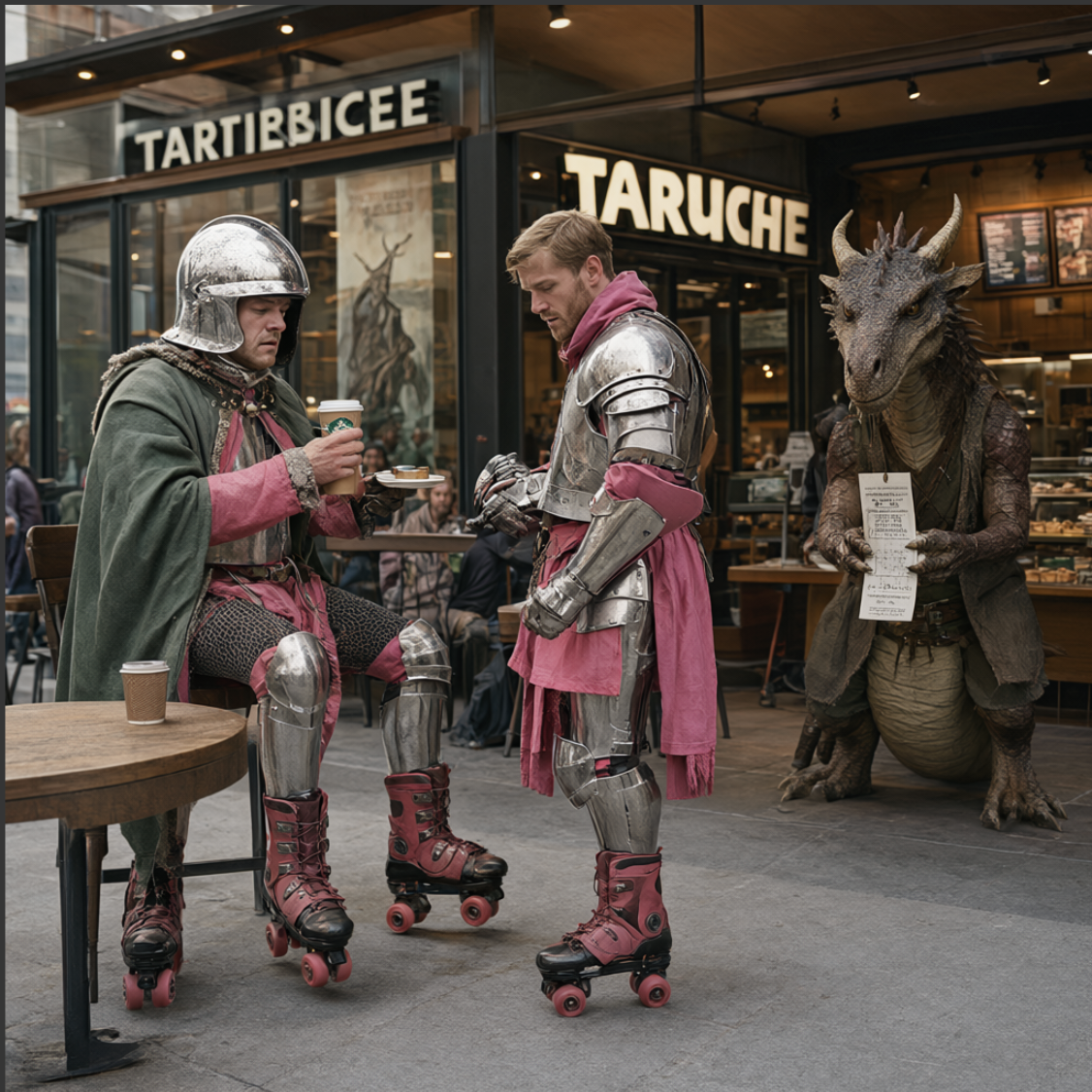
09 - The Weird Prompt Test 😄
And finally, something intentionally ridiculous.
Prompt:
A medieval knight wearing pink roller skates ordering coffee at a modern café while a confused dragon waits outside holding a parking ticket, photorealistic, documentary photography.
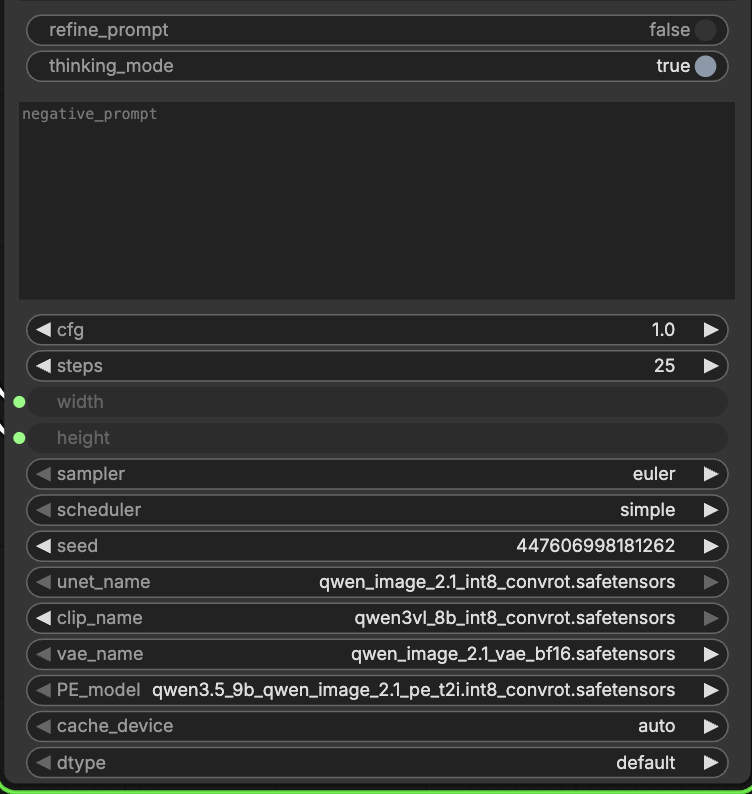
ComfyUI Model & Configs
Generation costs : only 30 cents for all images
GPU and cost GPU used: 1x A6000 with 48GB VRAM
Whole job took around ~30mins from booting up the ComfyUI and Model to generating these images.
Cost incurred: ~30 cents.
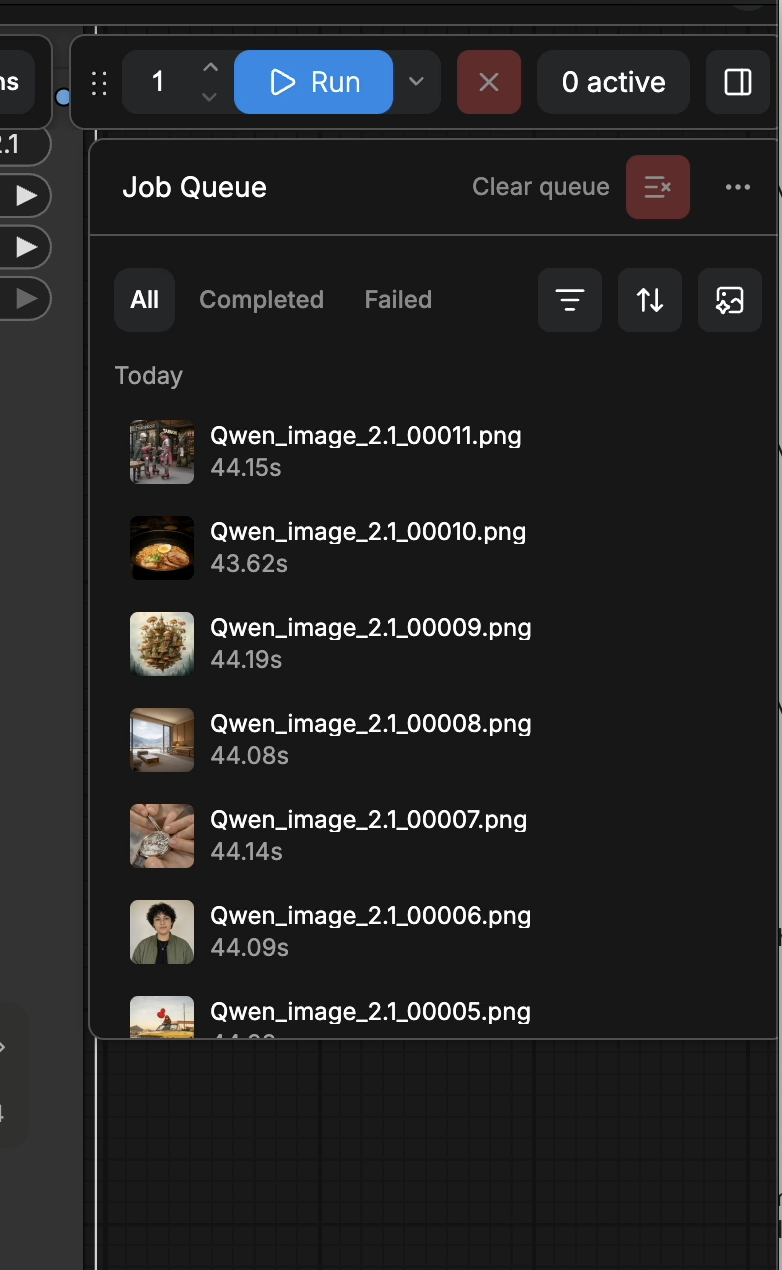
Time taken for the generations
Each job took around ~45 seconds
Overall impression
What interests me most about Qwen Image 2.1 isn't just raw image quality — it's how well it can translate a fairly detailed natural-language instruction into a coherent composition.
But it also misses in the details in some images as well.
The areas I’m going to test next are:
character consistency → typography → multi-character scenes → image editing → product photography → harder spatial prompts
I also want to test prompts suggested by other people rather than designing all of them myself.
Give me a prompt that usually breaks image models
Post something difficult in the comments.
Hands, mirrors, text, six different characters, exact positioning, weird objects, complex clothing — whatever you think will trip it up.
I’ll take some of the most interesting ones and make a Part 2.
One-click template for Qwen Image-2.1 on HexGrid.cloud
Run Qwen Image 2.1 on HexGrid in one click — no CUDA setup, no dependency hunting, no environment debugging.
The template comes preconfigured with ComfyUI, the required runtime, and the Qwen Image 2.1 setup so you can launch a GPU workspace and start generating immediately.
No manual CUDA installation. No PyTorch version matching. No broken requirements. No hours spent wiring the environment together.
Just choose the Qwen Image 2.1 template, start the instance, and open ComfyUI.
Pricing starts from $0.55/hour, so you can spin up a GPU only when you need it and shut it down when you’re done.
![Qwen3.6-27B-FP8 on One RTX 6000 Ada: Fast TTFT, 668 tok/s Peak Throughput [Benchmark]](https://cdn.hashnode.com/uploads/covers/6a22b1a041d5b05f16273b50/8fd36dcb-515c-4f77-8071-9a1aedc1c2ed.png)


