Qwen Image 2.1 Edit: 8 Real-World Image Editing Stress Tests in ComfyUI
In my previous article, I tested Qwen Image 2.1 across nine real-world text-to-image prompts in ComfyUI, covering everything from photorealistic portraits and product photography to typography, complex compositions, and fine details.
This time, I'm exploring the model's image-editing capabilities.
Instead of generating everything from scratch, the goal is to understand how Qwen Image 2.1 handles image-conditioned instructions, whether it can make the requested changes, and how much of the original image it preserves.
I'm revisiting the same nine scenarios from the original experiment to examine a different side of the model.
All tests were run through ComfyUI on HexGrid Cloud, with the actual inputs, outputs, and inference settings documented below.
Task: Edit Image
Model: Qwen Image 2.1
Engine: ComfyUI Workflow
GPU: RTX A6000
Generation latency: ~45 seconds per Image
Let's look at the results.
Identity preservation + relighting
Prompt
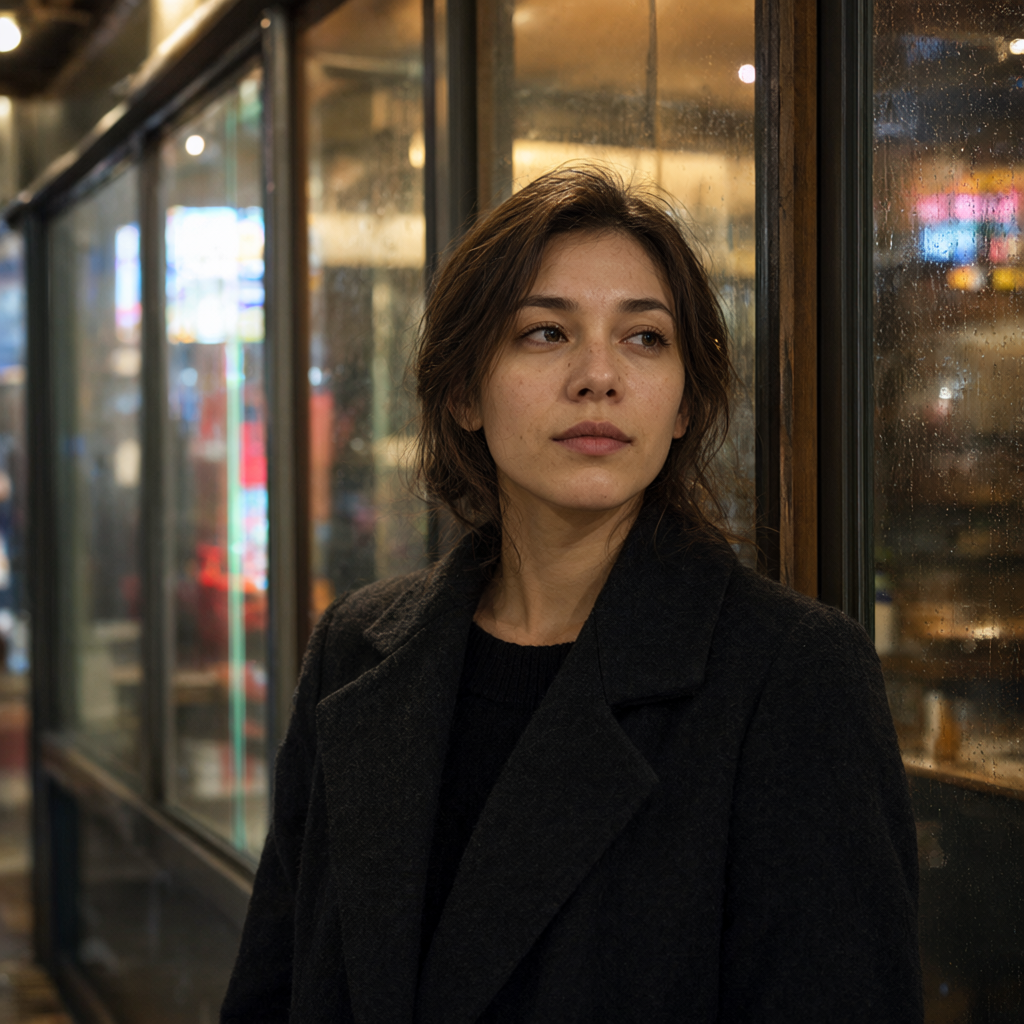
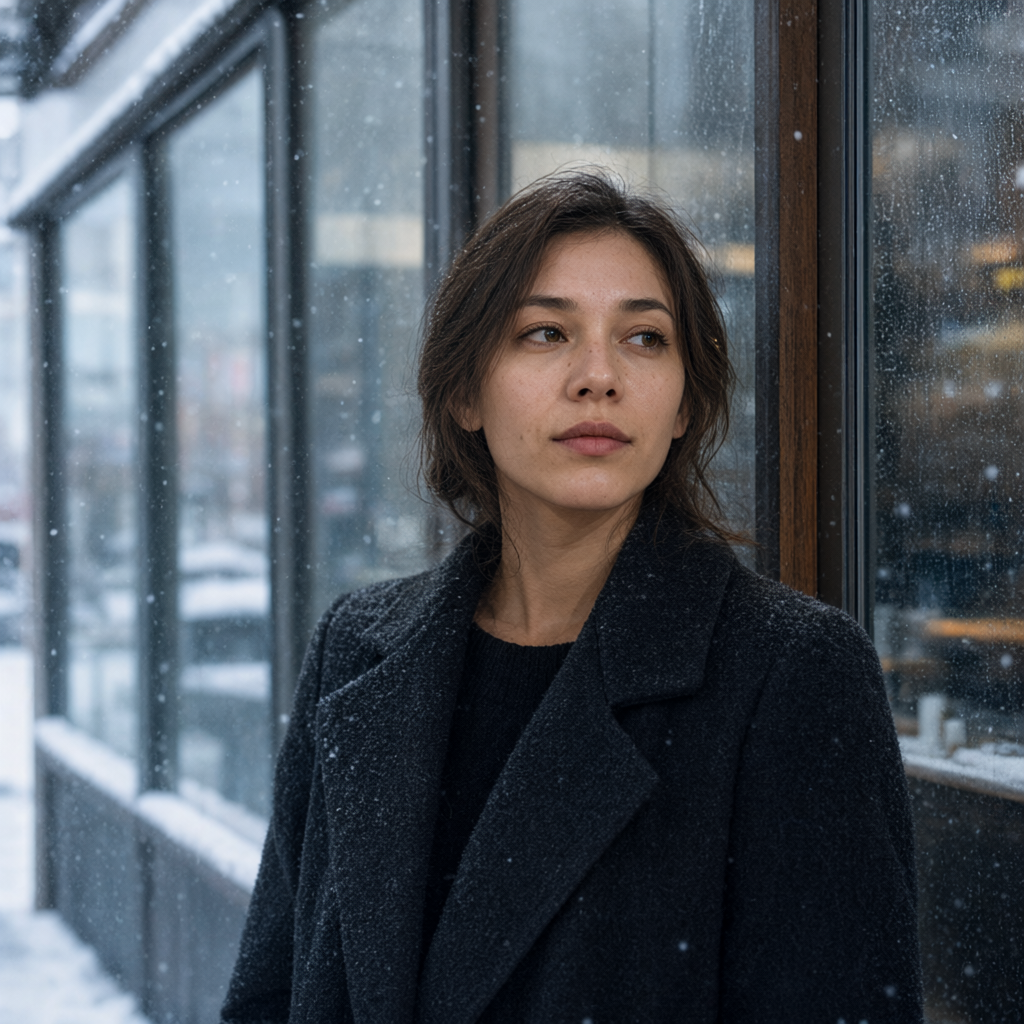
Edit the input image from a rainy Tokyo night into a cold snowy Tokyo morning. Preserve the woman's facial identity, expression, pose, hairstyle, clothing, body proportions, camera position, framing and depth of field. Replace the nighttime neon illumination with soft natural morning daylight. Snow is falling outside the café window and snow has accumulated on visible outdoor surfaces. Update the window reflections and lighting on the woman naturally for the new environment. Do not otherwise alter the subject.
Input Image
Output Image
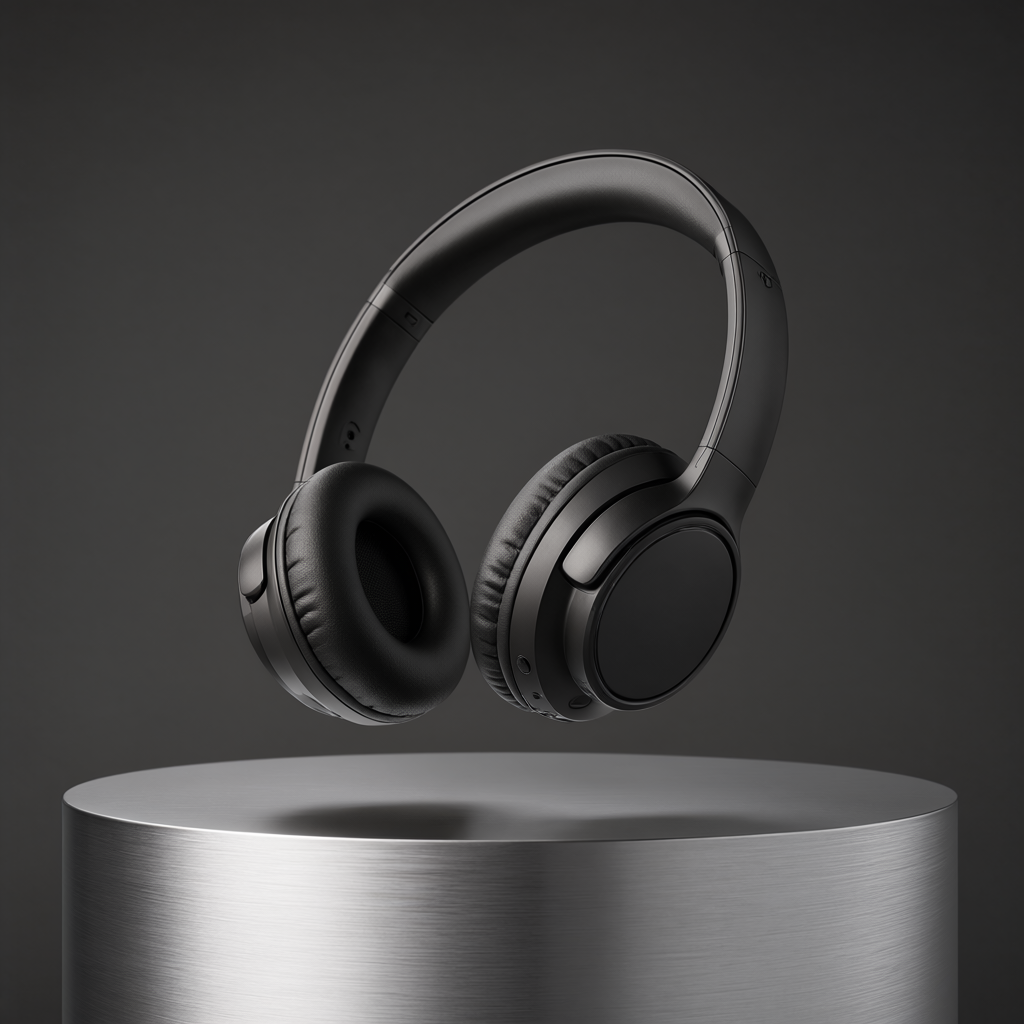
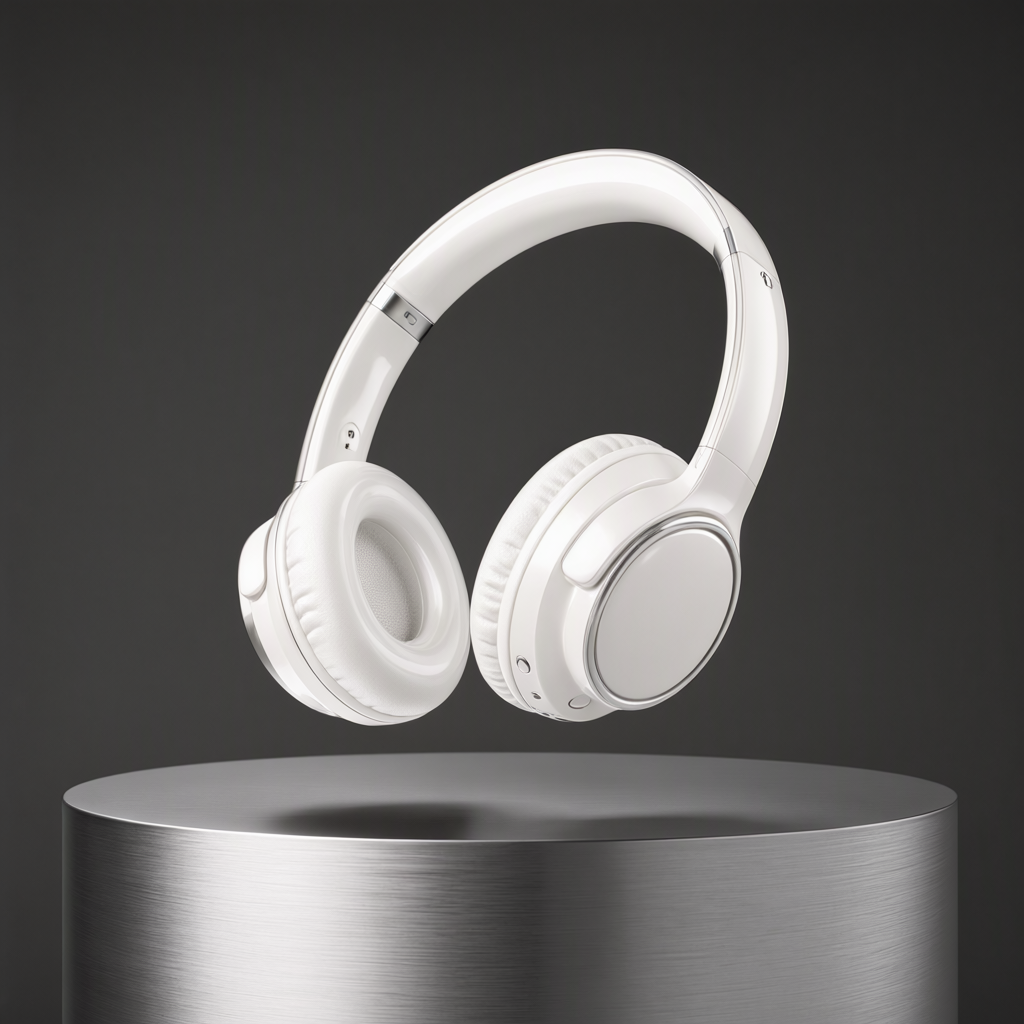
Material/color editing + product fidelity
Prompt
Change only the headphones from matte black to glossy pearl white ceramic with subtle metallic silver accents. Preserve the exact headphone design, geometry, proportions, ear-cup shape, headband, orientation and floating position. Keep the aluminum pedestal, background, composition, shadows and camera angle unchanged. Update only the reflections and highlights necessary for the new glossy material.
Input Image
Output Image
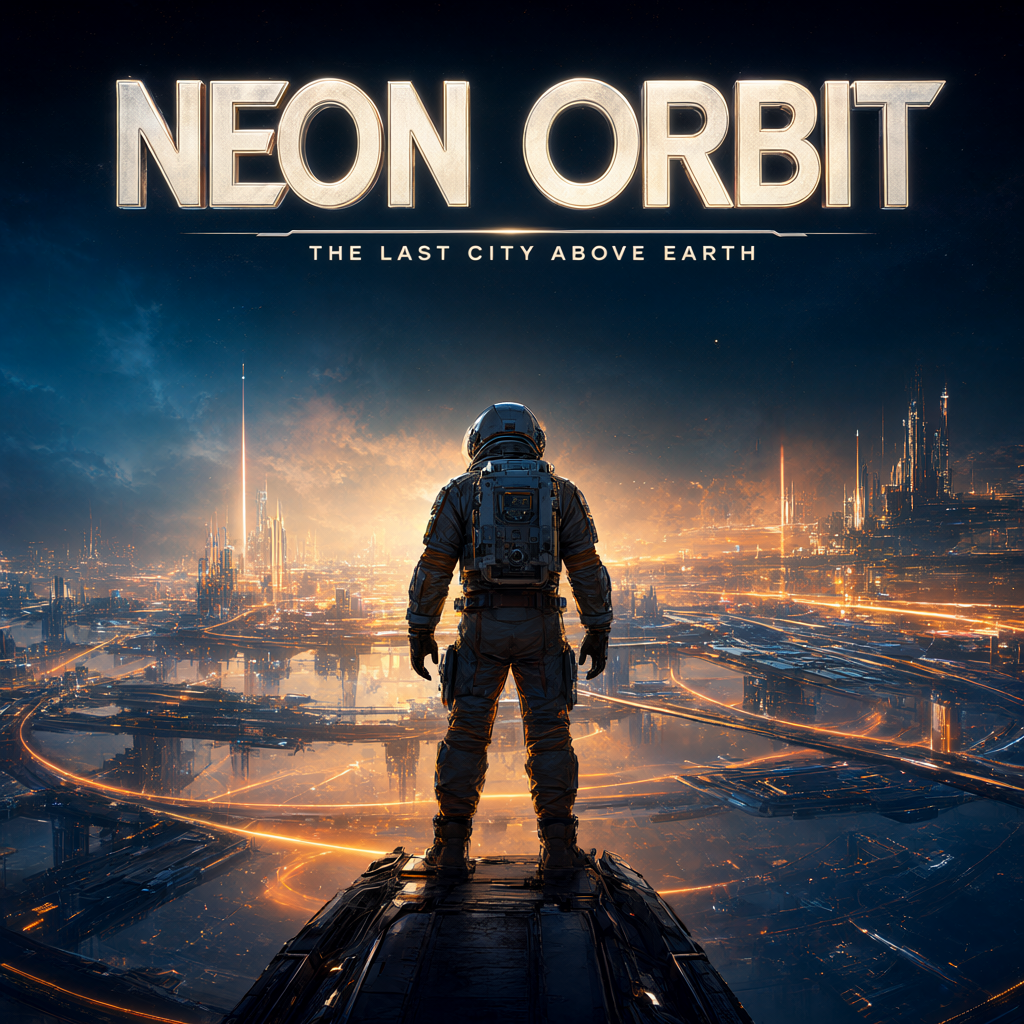
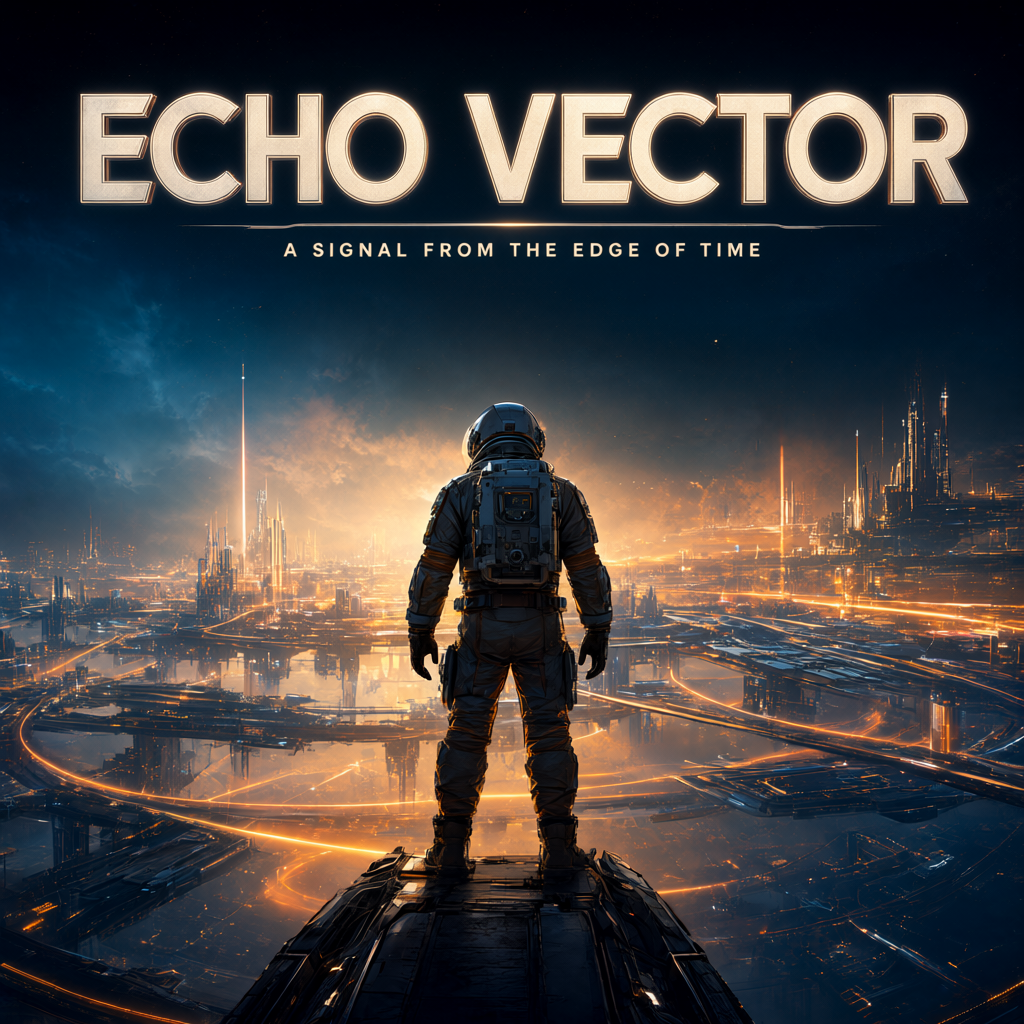
Exact typography replacement
Prompt
Replace the poster title “NEON ORBIT” with exactly “ECHO VECTOR”. Replace the subtitle “THE LAST CITY ABOVE EARTH” with exactly “A SIGNAL FROM THE EDGE OF TIME”. Preserve the astronaut, orbital city, artwork, composition, colors, title position, subtitle position and overall typography style. The new text must be clearly readable and correctly spelled. Do not add any other text.
Input Image
Output Image
Object relocation / spatial reasoning
Prompt
Move the black dog from beside the front-left tire into the front passenger seat of the yellow convertible. The dog should be clearly visible sitting naturally in the passenger seat. Preserve the woman, her pose, the yellow car, exactly three red balloons, desert gas station, sunset, camera framing and all other scene elements. Remove the dog completely from its original location and reconstruct the exposed area naturally.
Input Image
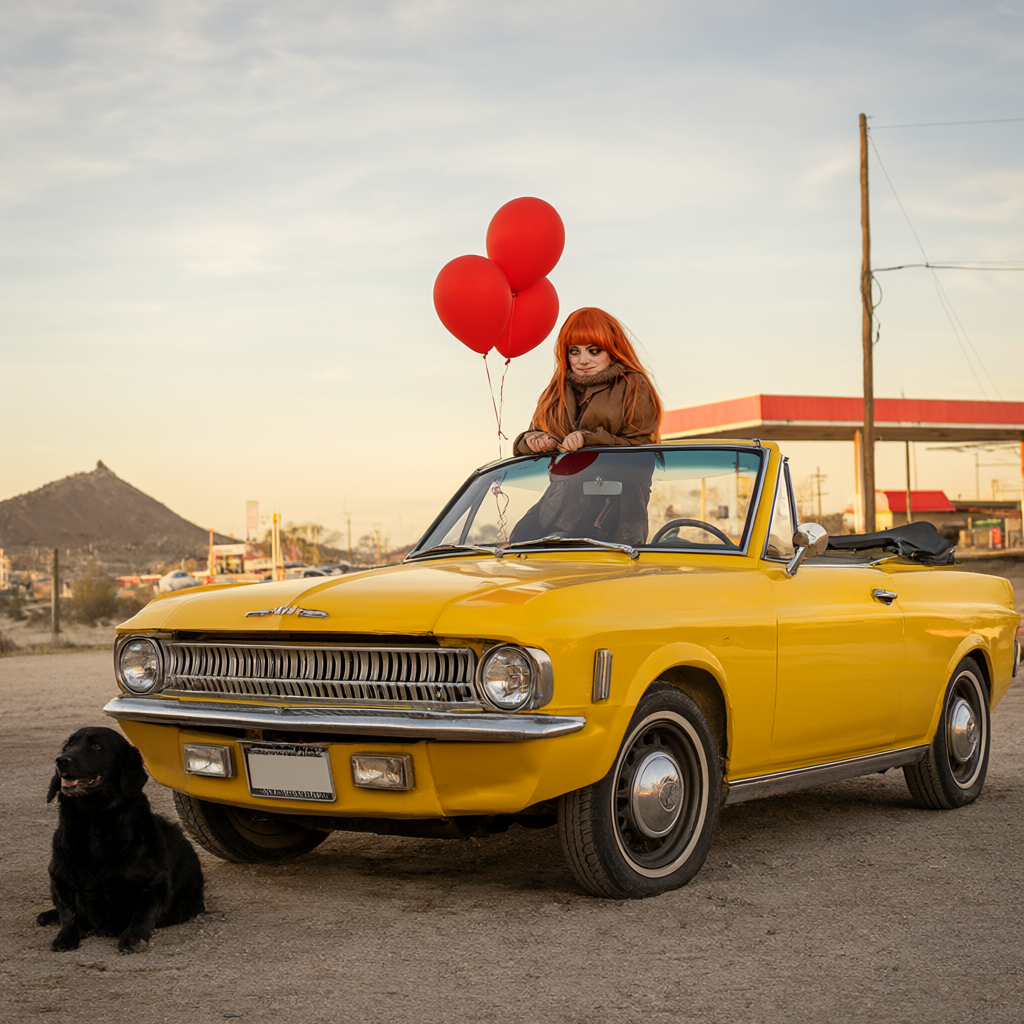
Output Image
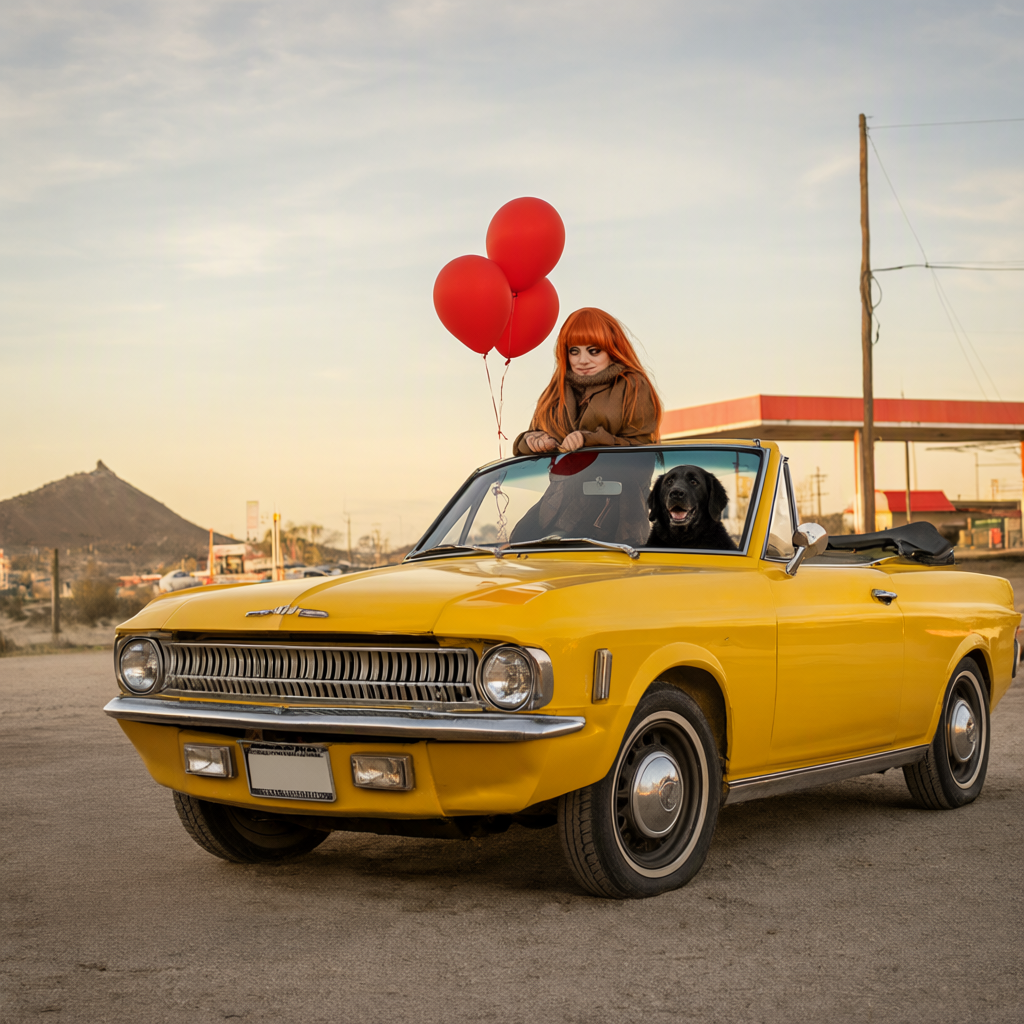
Character consistency under major pose/camera change
Prompt
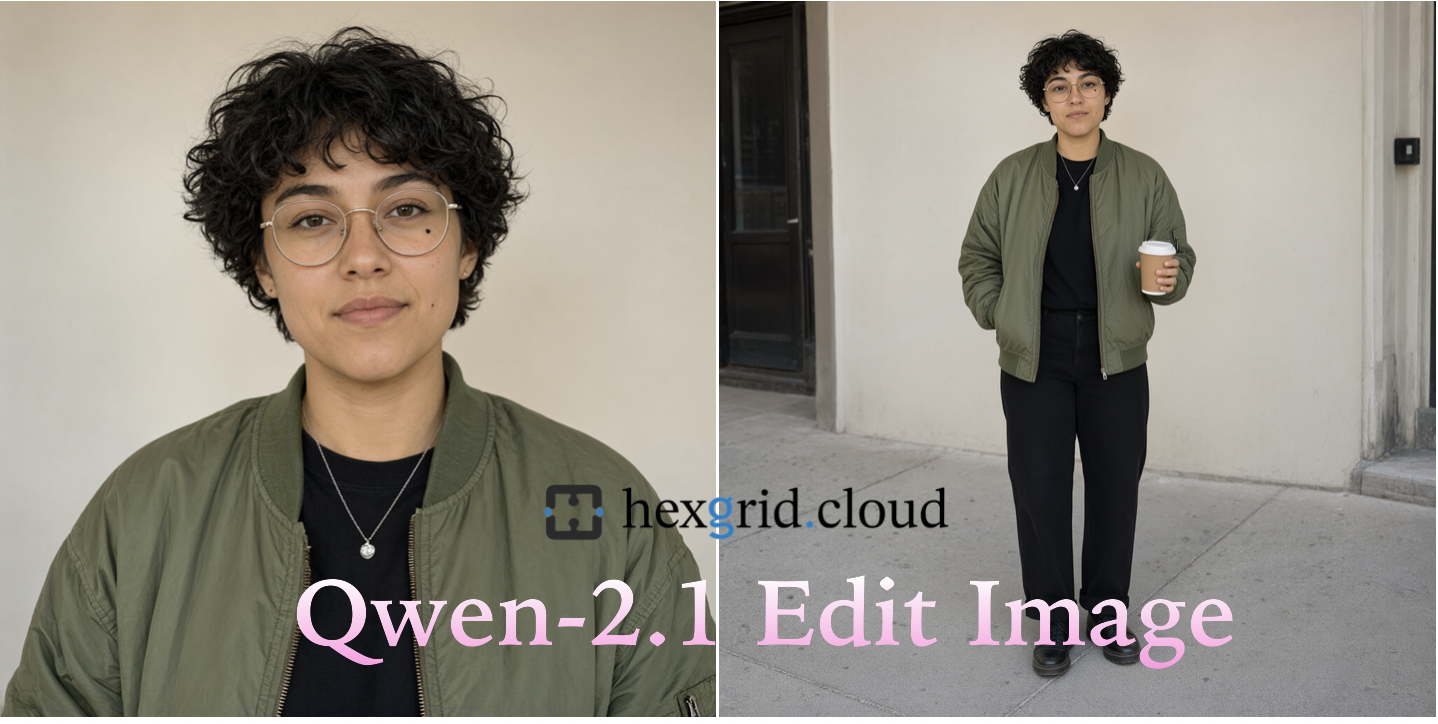
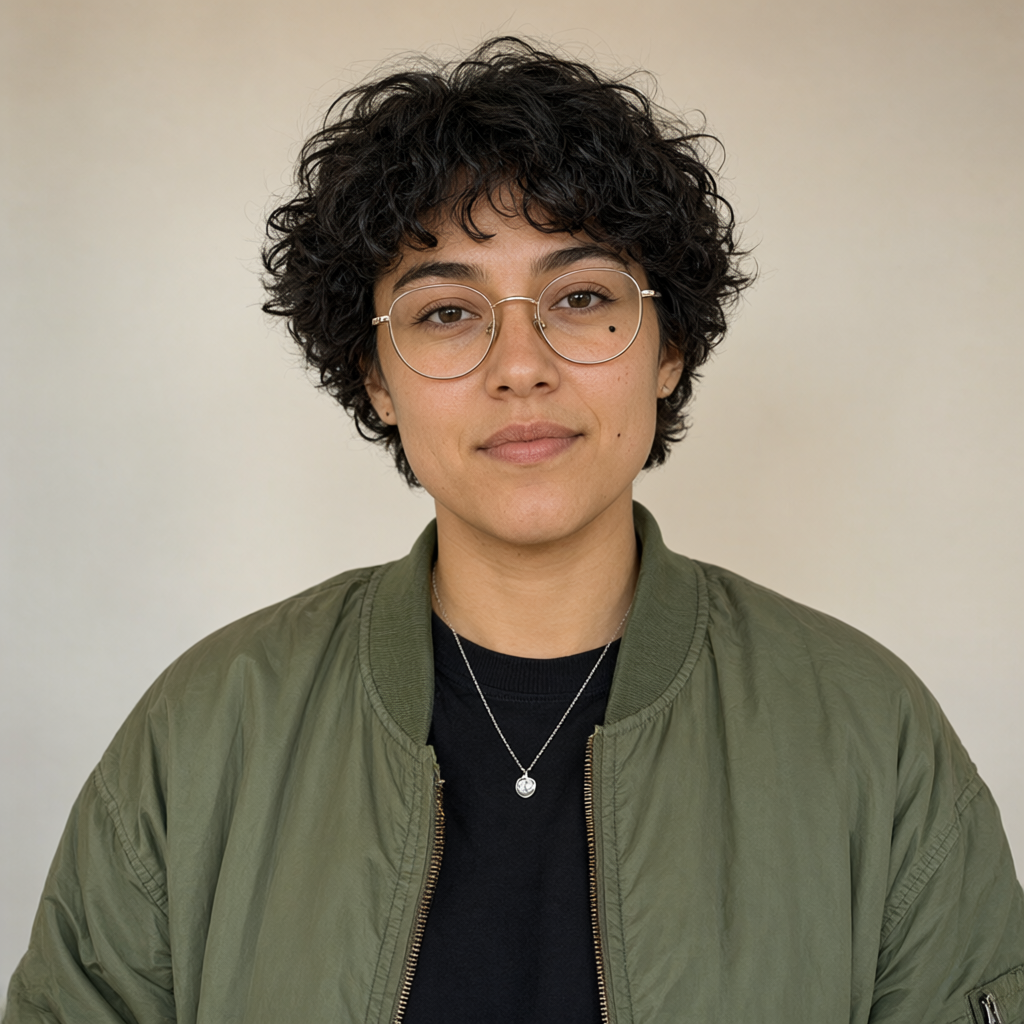
Create a new full-body photograph of the same woman from the input image. Preserve Maya's facial identity and recognizable personal features. Show her standing casually on a city sidewalk, photographed from a three-quarter angle, one hand in her jacket pocket and the other holding a takeaway coffee cup. Keep her green bomber jacket, black shirt, round gold glasses, silver necklace and overall appearance consistent with the reference. Natural daylight, realistic street photography.
Input Image
Output Image
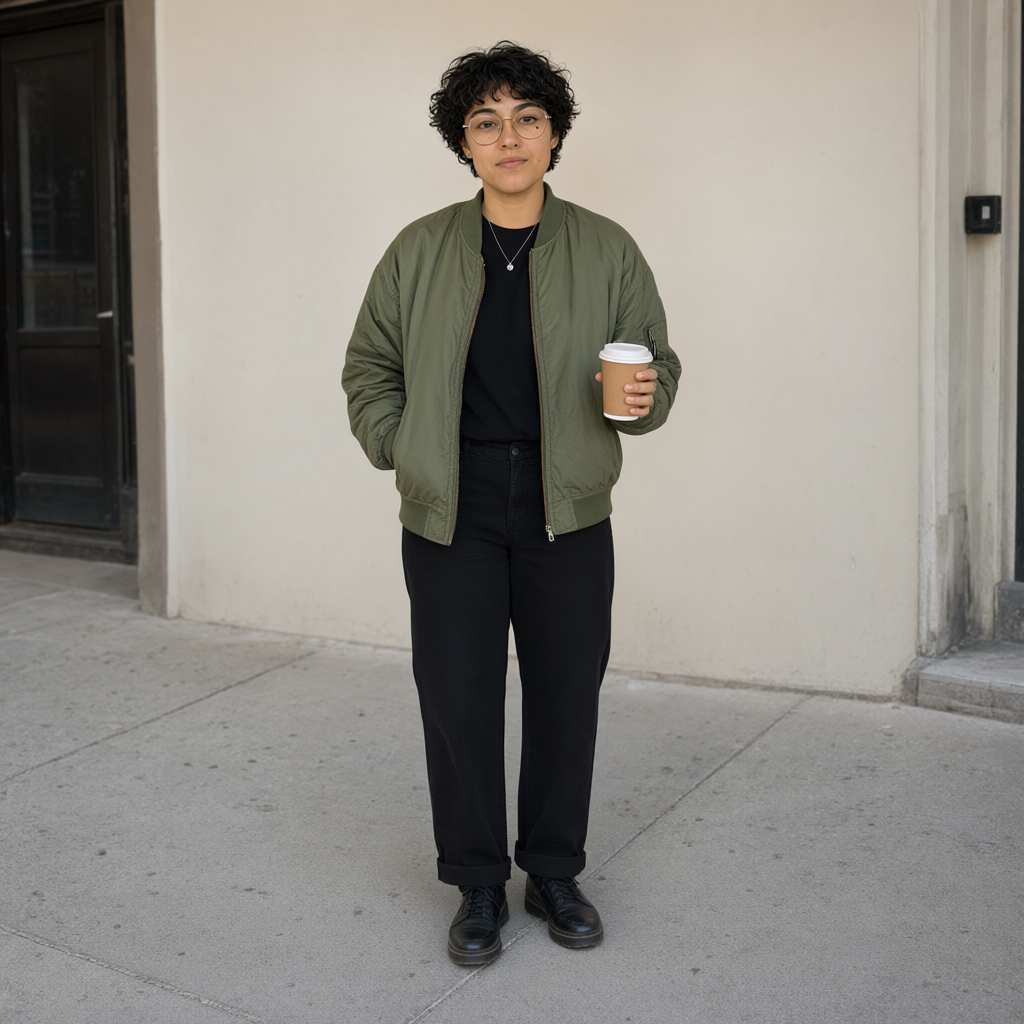
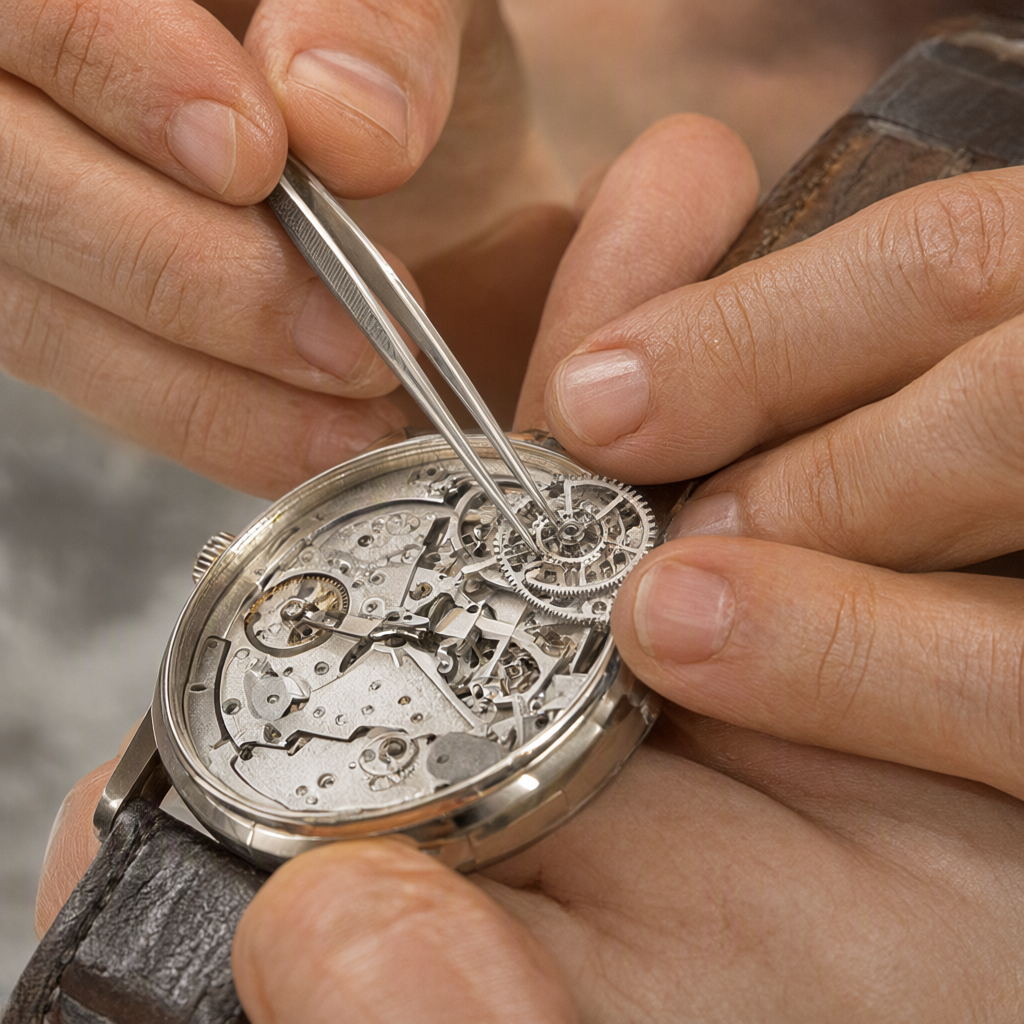
Left-right understanding + hand reconstruction
Prompt
Swap the objects held by the watchmaker's hands: place the tiny tweezers in the left hand and the watch gear in the right hand. Preserve both hands' positions as closely as possible, with five anatomically correct fingers on each hand and physically believable grips on the objects. Preserve the watch, workbench, lighting, camera position and macro-photography composition. Change nothing else.
Input Image
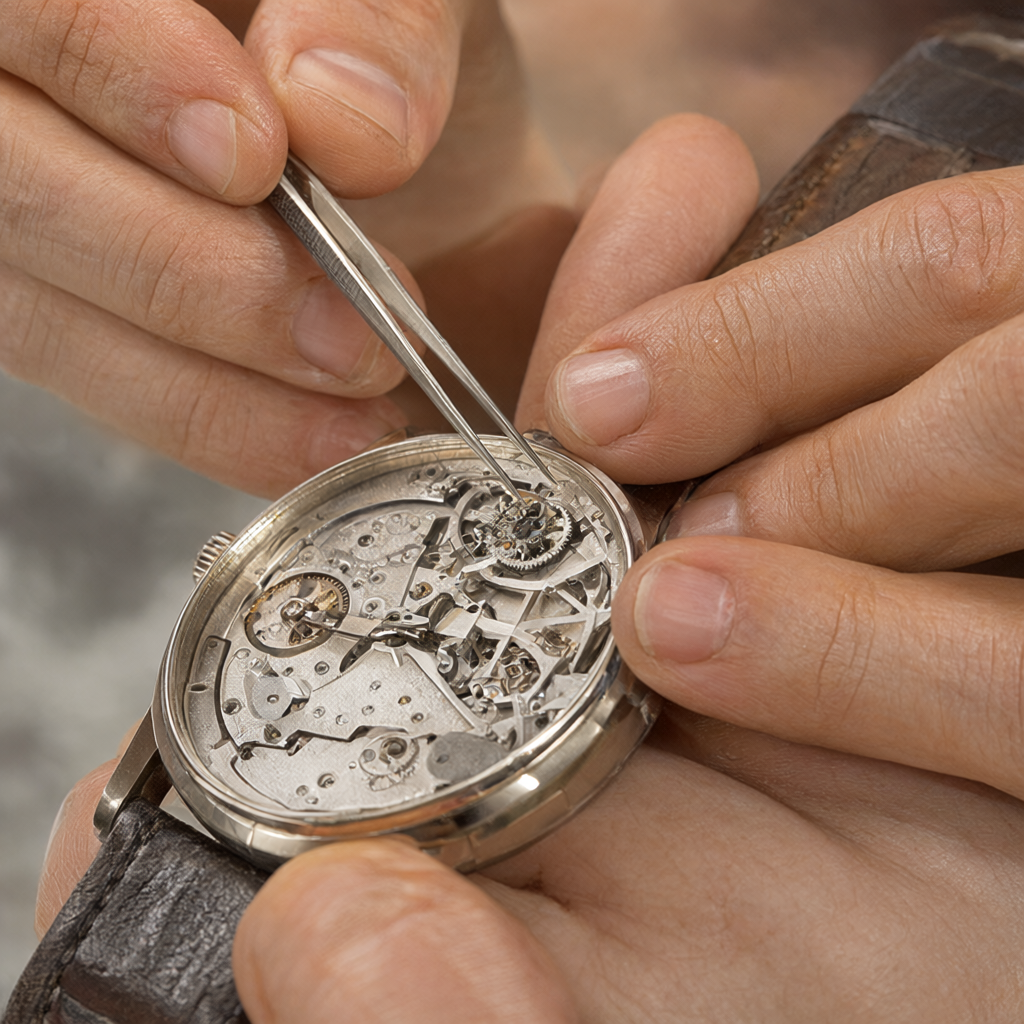
Output Image
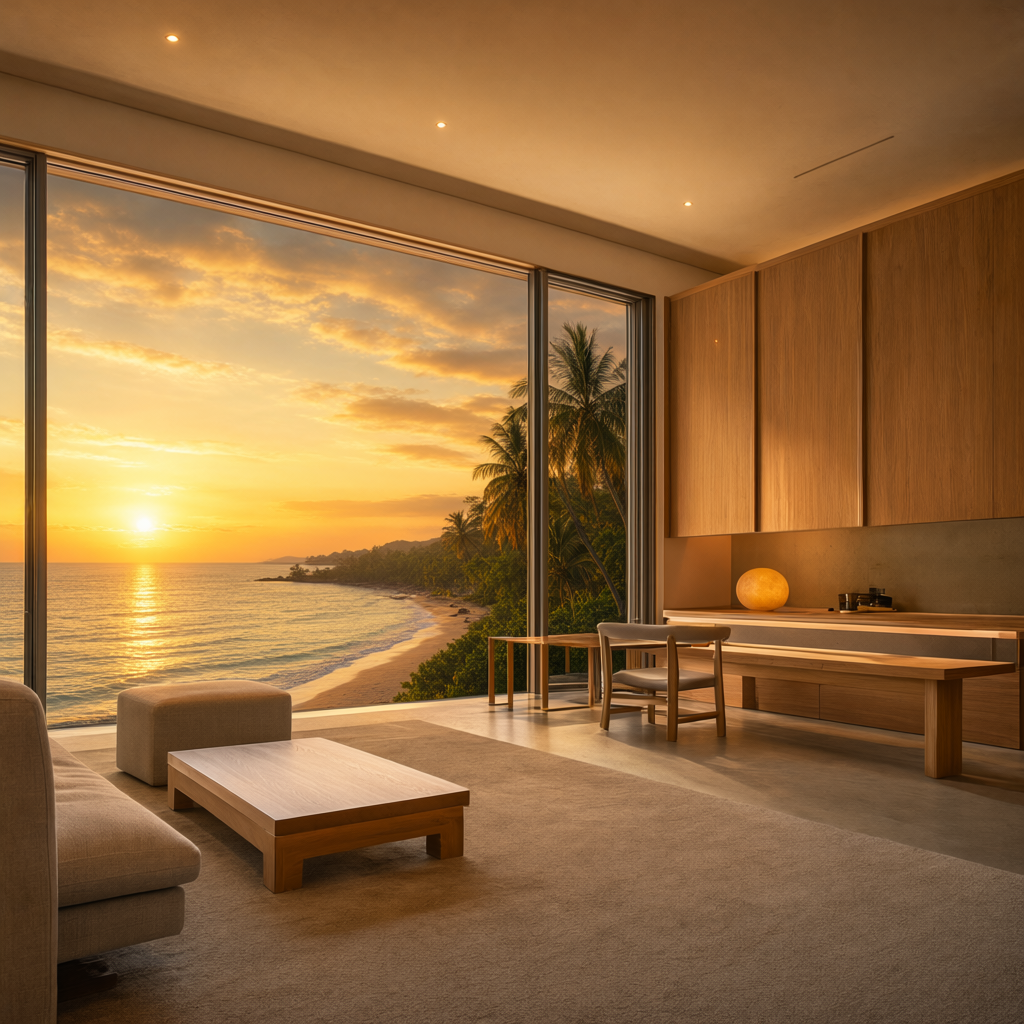
Background replacement + environmental lighting
Prompt
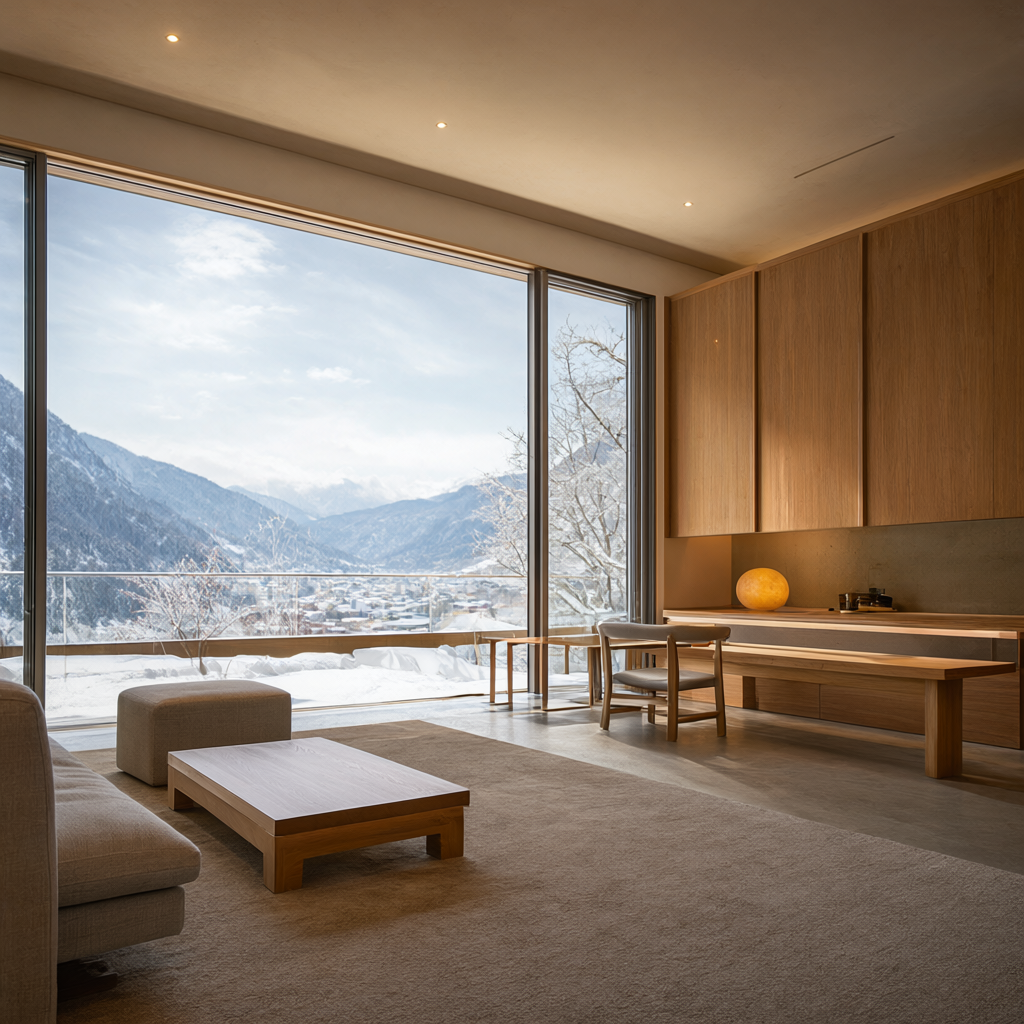
Replace only the snowy mountain valley visible through the windows with a tropical ocean coastline at golden-hour sunset. Preserve the exact room architecture, window geometry, furniture placement, concrete and oak materials, camera perspective and composition. Warm sunset light should enter naturally through the windows and produce physically coherent illumination and reflections inside the room. Do not redesign the interior.
Input Image
Output Image
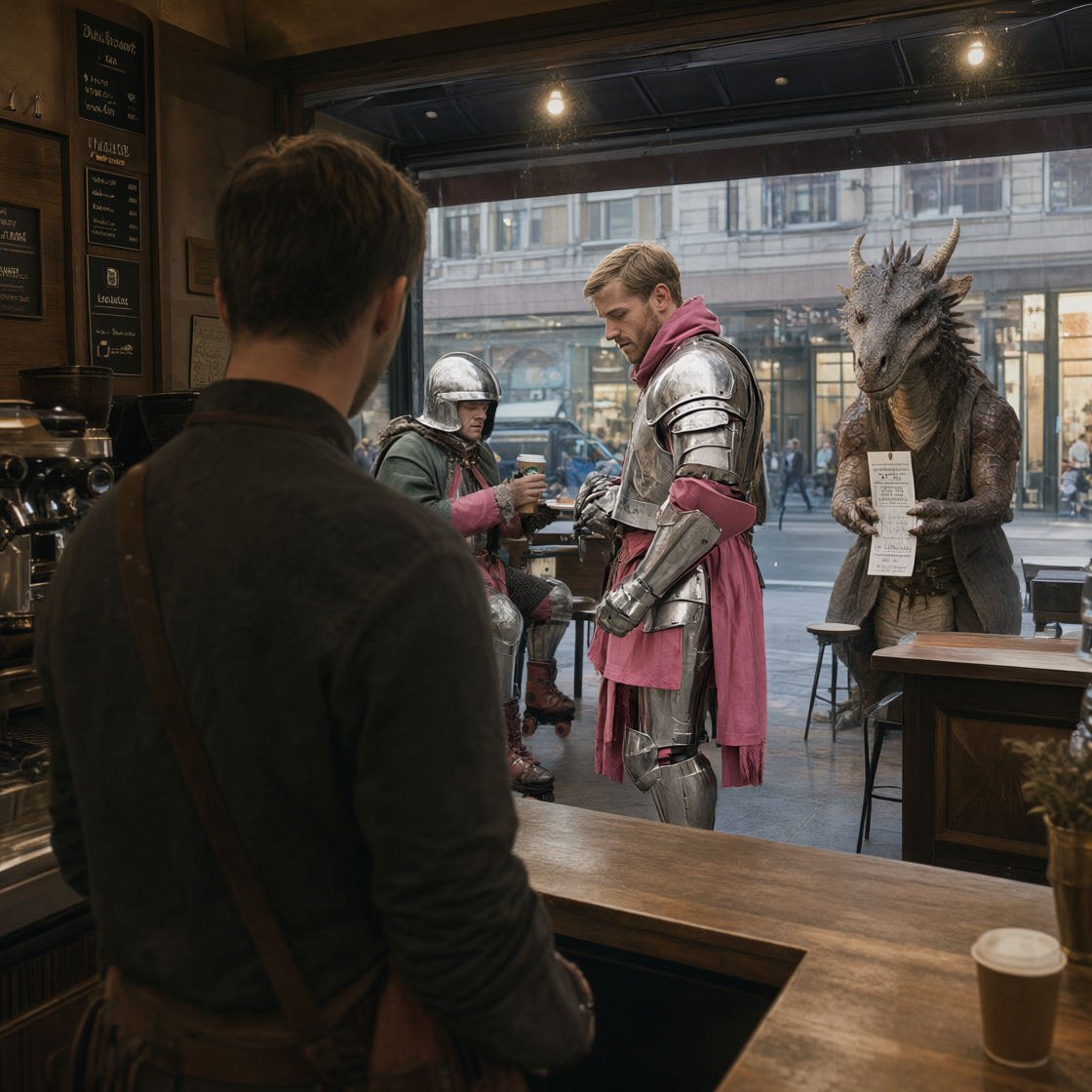
Novel viewpoint / scene reconstruction
Prompt
Reconstruct the same scene from a new camera viewpoint inside the café, looking over the barista's shoulder toward the counter. Preserve the same medieval knight wearing pink roller skates and ordering coffee. Through the café window, the same confused dragon should still be visible outside holding the parking ticket. Preserve the characters' recognizable appearance and the photorealistic documentary style, while making the new perspective spatially coherent.
Input Image
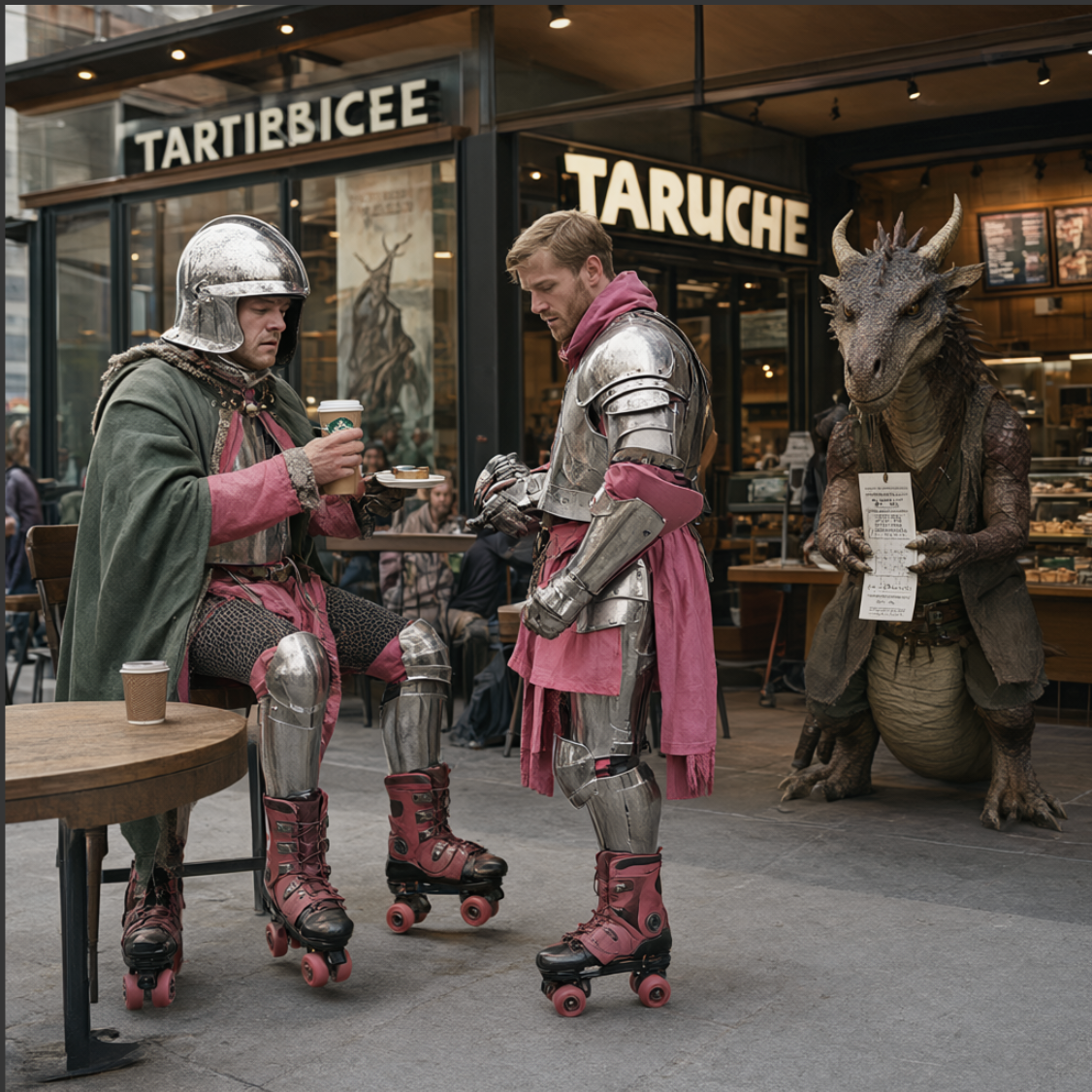
Output Image
Overall Impression
After testing Qwen Image 2.1 across nine image-editing scenarios in ComfyUI, the most interesting part of the experiment was how the model handled the relationship between the supplied reference images and the requested changes.
Some editing tasks require relatively small modifications, such as changing a product's color or replacing text. Others require more substantial changes, such as modifying lighting or introducing new objects.
These tasks also expose an important tradeoff: an output can look visually convincing while still changing details that were supposed to remain untouched.
Run Qwen Image 2.1 - Edit Image as ComfyUI Workflow on HexGrid Cloud - In One-click
All experiments in this article were performed using ComfyUI on HexGrid Cloud.
Want to reproduce these results or experiment with your own prompts?
Launch a GPU workspace, open ComfyUI, and run Qwen Image 2.1 with your own images and workflows.
![Qwen3.6-27B-FP8 on One RTX 6000 Ada: Fast TTFT, 668 tok/s Peak Throughput [Benchmark]](https://cdn.hashnode.com/uploads/covers/6a22b1a041d5b05f16273b50/8fd36dcb-515c-4f77-8071-9a1aedc1c2ed.png)

